
Using Wixie to build essential skills for online testing
Help students build the necessary skills through technology-infused performance tasks that meet standards and make students excited about learning. From drag-and-drop formative assessments to open-ended passion projects, Wixie can help students build the technical skills they need for online testing while engaging with the curriculum.
Drag and drop
Wixie includes thousands of curriculum-focused templates that require students to drag and drop objects on the screen to demonstrate understanding. They can also drag items to arrange them in sequences, such as the order of a story or the life cycle of a butterfly.
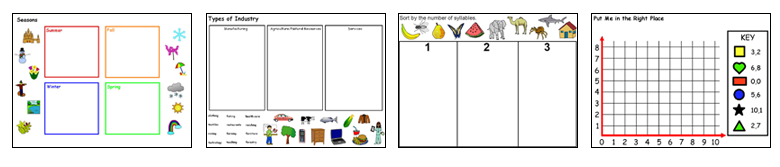
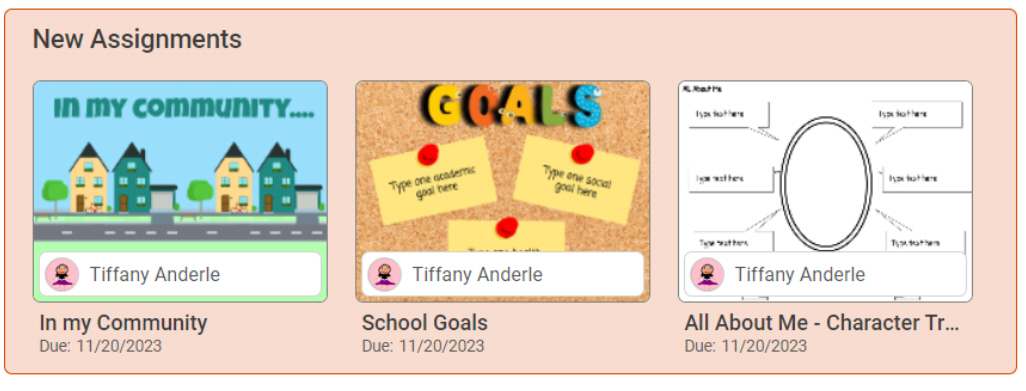
Browse templates that match your classroom topics using the Curriculum Activities or Design Templates libraries at your Wixie home page. When you find a template or activity you want to use, assign it to your students to have it show when they login to Wixie.
Manipulate objects
Online tests may also ask students to arrange objects to demonstrate understanding. Many of Wixie's stickers, like base ten blocks and pentominoes, work great as virtual math manipulates.
Access stickers like these using the Image button.

The Math folder includes folders filled with objects like base ten blocks and Cuisenaire rods, which students can manipulate to create value and show patterns.
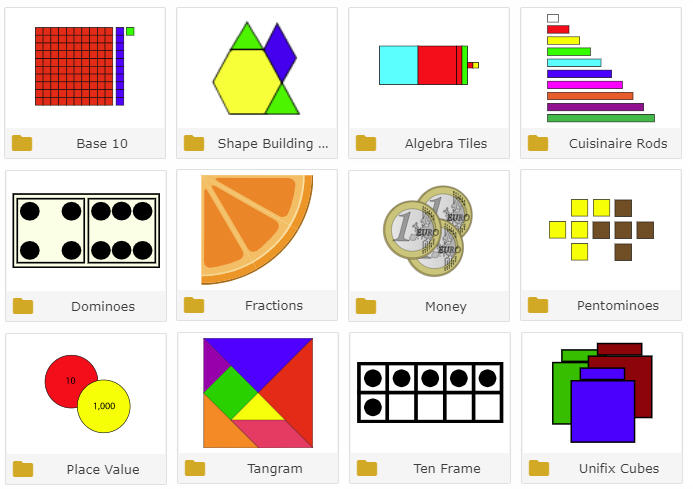
While students can use any of these virtual manipulatives on a blank canvas, you can also find many templates in the Curriculum Activities library that already include these images. Open the Curriculum Activities library at your home page and browse the templates in the Math folder to find examples like this tangram activity.
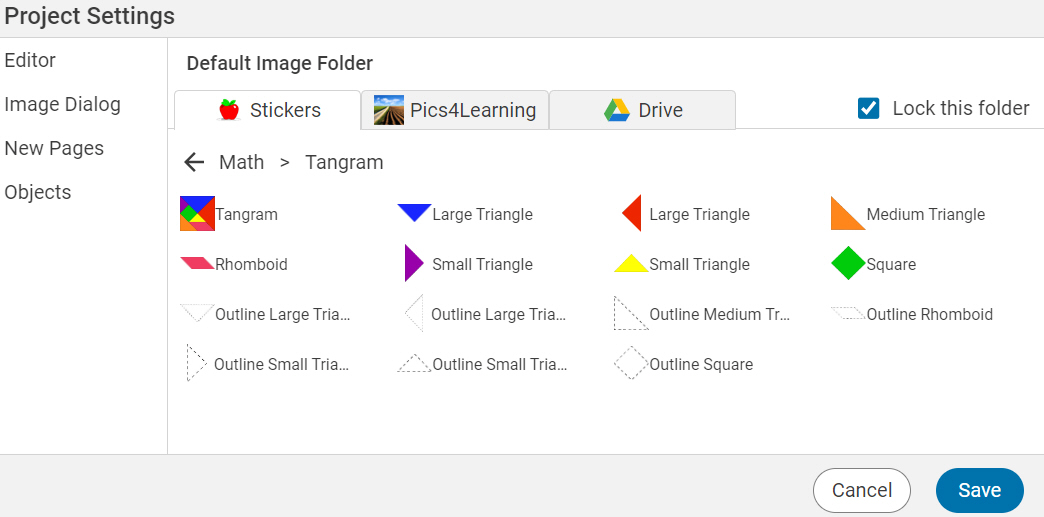
If you want to keep their work more on the play end of the spectrum, encourage students to create objects using the tangram shapes. You can even create an assignment that is a blank page, but add a default image category, like tangram shapes. When students open the Image library, it will display this category.
Using these activities gives students a chance to practice skills like clicking and dragging, selecting and deselecting objects, and using scaling and rotating options. Students can adjust size and shape using handles on the object itself or with the options on the Tools panel. The more ways students know how to manipulate objects, the easier it will be for them to figure out how an unfamiliar tool or interface might function.
Use tools like protractors and rulers
Wixie provides handy Measurement tools that help evaluate students' grasp of length and angle measurement.
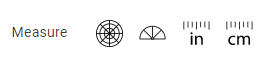
When activated, these tools appear above the page, like tangram shapes mentioned above, these tools may need to be rotated to measure a specific angle in an image or a specific dimension of a shape. However, they maintain a fixed size, ensuring you can easily assess whether students use them correctly.

Browse the Curriculum Activities and Design Templates libraries or search for "measurement" in the bar at the top of your home page to find templates that include these tools.
Drawing
Online test questions may ask students to connect with a line, draw a circle around, or "build a model of" as they answer questions. The paint tools in Wixie work the same way paint tools work in most online programs.
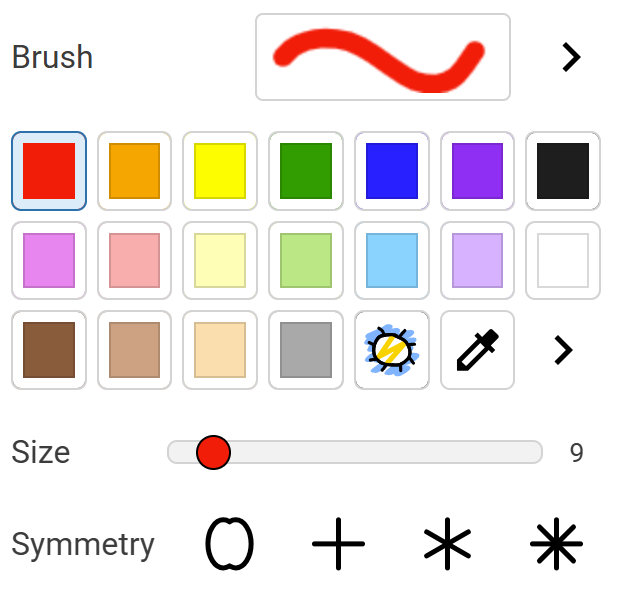
Students need to learn to select the tool, let go of the mouse button, move over the canvas, and click and drag to draw. They may also need to select and change options such as line or brush thickness and whether a shape is drawn as an outline or filled.
The simple act of drawing has relaxing effects, and you might want to use this as a fun de-stressing activity during testing. Using drawing or painting tools can also help you engage students in the curriculum and evaluate their understanding. For example, students can use drawing tools to illustrate the water cycle or to support specific details and information in the text they are writing.
Type
While you may have had a typing program in your computer class, many classrooms integrate technology into daily classroom instruction and computers are used and not learned. Giving students opportunities to show off what they know can encourage them to practice typing as well as understand how mastery of this skill can help them communicate.
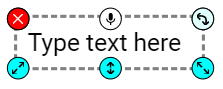
Students need to be able to type at a reasonable speed in order to answer the volume of questions requiring a text-based answer in the allotted test time. They also need to know the location of the space bar and delete/backspace keys, as well as how to use the arrow tools to move within a text box.
Any project that asks students to show what they know inevitably requires them to use the space bar and delete options. While they often get sidetracked by font, size, and layout options, adjusting the look of specific text in a text object requires them to learn how to select and deselect text.
Record
Online tests are beginning to include an option for recording voice so students can more easily explain their thinking without needing typing skills. While getting a microphone connected and working with any device can be a challenge, asking students to practice explaining their thinking and work using the microphone tool in Wixie helps them build metacognitive skills and an awareness of their own learning.

Wixie's animated talkies also offer a way for students to record themselves speaking on different topics in a fun and non-threatening way. By utilizing this interactive feature, students can enhance their skills and boost their confidence when faced with assessments.
Practice these skills with a haiku
While there were many specific ideas listed above, a simple content-focused performance task can help students practice many of these skills at the same time. For instance, ask students to write, illustrate, and record a haiku.
Haiku is one of the most important forms of traditional Japanese poetry. Haiku is, today, a 17-syllable verse form consisting of three metrical units of 5, 7, and 5 syllables.
An old pond!
A frog jumps in-
The sound of water.
–Matsuo Basho
Every Haiku should include a kigo, a seasonal word, to indicate the season. For example, "cherry blossoms" suggests spring, while "snow" implies winter.
Because of their short length, Haiku generally don't take too long to write, yet provide students practice with typing, spacing, and most likely deleting. If you ask students to highlight important words, you can also give them practice with selecting and deselecting text. Asking them to drag and drop images from the library or use the paint tools to create illustrations that support the meaning of the poem will also motivate them while providing additional skills practice.
Online testing workbook
The Curriculum Activities library includes an Online Testing Workbook that is designed to help your students practice the skills they need to do their best on online tests. Students will find fun activities and helpful tips to make them feel confident and prepared.
If you integrate Wixie into your daily instruction with activities connected to your curriculum, you won't need to use Wixie for intentional online skills practice, you will simply make this practice an essential part of the learning process in your classroom.
 Effective Integration
 Instructional Design
 Learning Strategies
 Literacy
 Month-by-Month
 Product Ideas
 STEM/STEAM
 Share and Showcase
 Updates
 User Management