
You can paint shapes using the Shape tool.
Click the Shape button on the tool palette.

You will see the Shape Options panel.
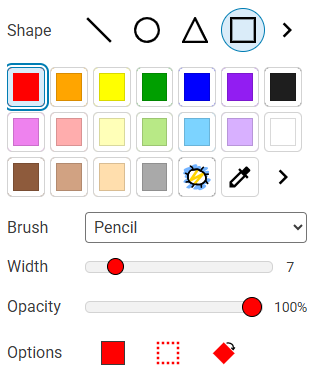
Click the More button for the Shape.

You will see the shape options.
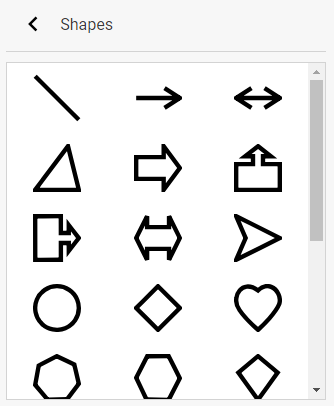
Click a shape.
Click the Back button.

Click a color on the color palette.
Use the Width slider to change the width of the line.
You will see the Shape Options panel.
Click the More button for the Shape.
You will see the shape options.
Click a shape.
Click the Back button.
Click a color on the color palette.
Use the Width slider to change the width of the line.
Use the Opacity slider to change the transparency of the shape.
Use the Brush pull-down menu to choose a look for the shape outline.
Click and drag on the page to paint.
You can paint a filled shape.
Click the Fill button on the options panel.

Click and drag on the picture.
The painted shape will be filled.
Click and drag on the page to paint.
You can paint a filled shape.
Click the Fill button on the options panel.
Click and drag on the picture.
The painted shape will be filled.