
You can allow Wixie to access your microphone if it has been blocked in the browser.
Click the three dots button in the upper right corner of the browser window.
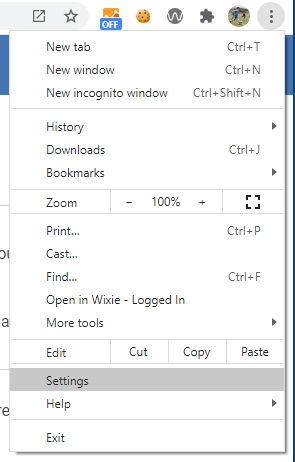
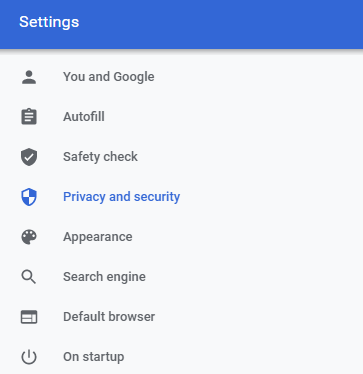
Click Privacy and security in the list of settings.
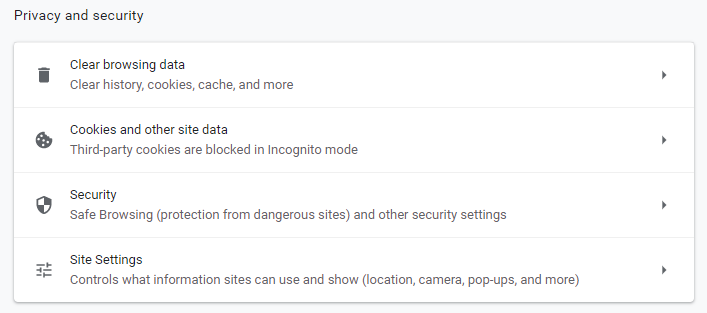
In the Privacy and security section, click Site Settings.
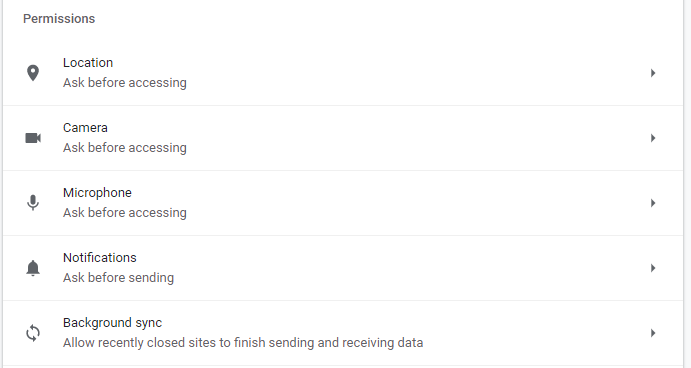
In the Permissions section, click Microphone.
You will see Wixie in the list of blocked sites.
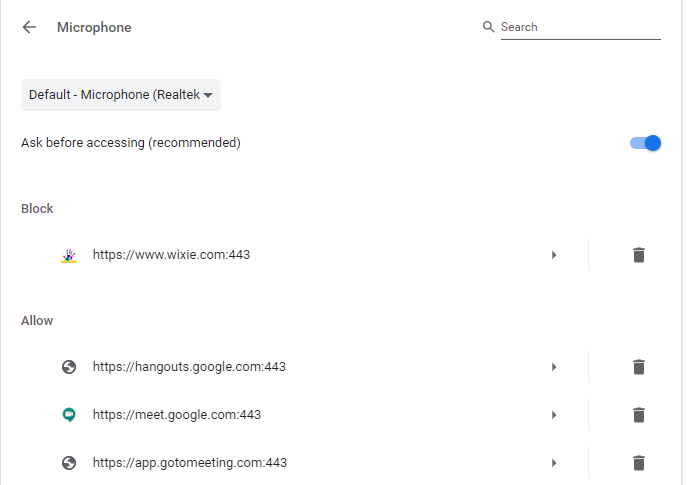
Click the right arrow for Wixie.
In the Permissions lists, click the Microphone pull-down menu and choose Allow.
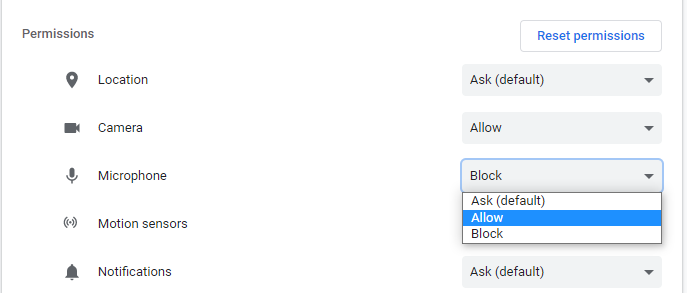
Wixie will now be able to record with the microphone.
Click Privacy and security in the list of settings.
In the Privacy and security section, click Site Settings.
In the Permissions section, click Microphone.
You will see Wixie in the list of blocked sites.
Click the right arrow for Wixie.
In the Permissions lists, click the Microphone pull-down menu and choose Allow.
Wixie will now be able to record with the microphone.