
Meet the 4C's with Wixie
To better prepare students to participate and succeed in our rapidly changing world, students need to master the 3 R's, as well as develop powerful skills with the 4 C’s. Powerful digital tools, like Wixie, both engage learners in the curriculum and help them build critical thinking, communication, creativity, and collaboration skills.
Using Wixie requires students to think analytically and creatively as they develop, implement, and effectively communicate new ideas to others. Students can use Wixie's cloud-based digital canvas to work together to creatively communicate their ideas, understanding, and thinking in a way that engages with academic content and builds 21st-century skills.
Critical Thinking
Wixie is blank screen software, a place for students to share their thinking. Wixie assignments should challenge students with questions and tasks that promote deep thinking and move them away from providing answers they have simply copied and pasted from other sources to ensure students develop critical thinking skills.
As they begin to grapple with essential questions that lead to more questions and desire to know, students can use Wixie to take notes as they conduct research, use graphic organizers to organize the information they find, develop their own diagrams to illustrate connections between ideas, and design presentations and reports they share online with their community.
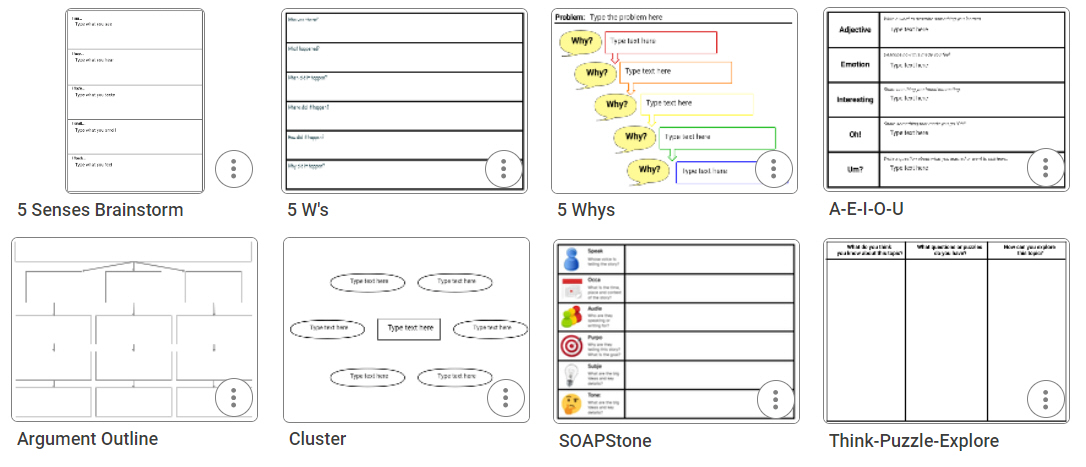
Educators can also use Wixie to help students build specific thinking skills with activities that help them learn to categorize and deconstruct big ideas into component parts, identify relationships, and organize their inquiry.
Communication
New definitions of literacy take into account advances in technology that allow us to learn and share information through multimedia forms of communication. Wixie provides students with an opportunity to build 21st-century literacy skills that not only include communicating with text, but “showing rather than telling” through a combination of text, images, music, voice narration, and video.
Students can use Wixie to write, narrate, illustrate, diagram, and design their own digital books, public service announcements, trading cards, comics, and more, building media literacy skills essential to life in the 21st century.
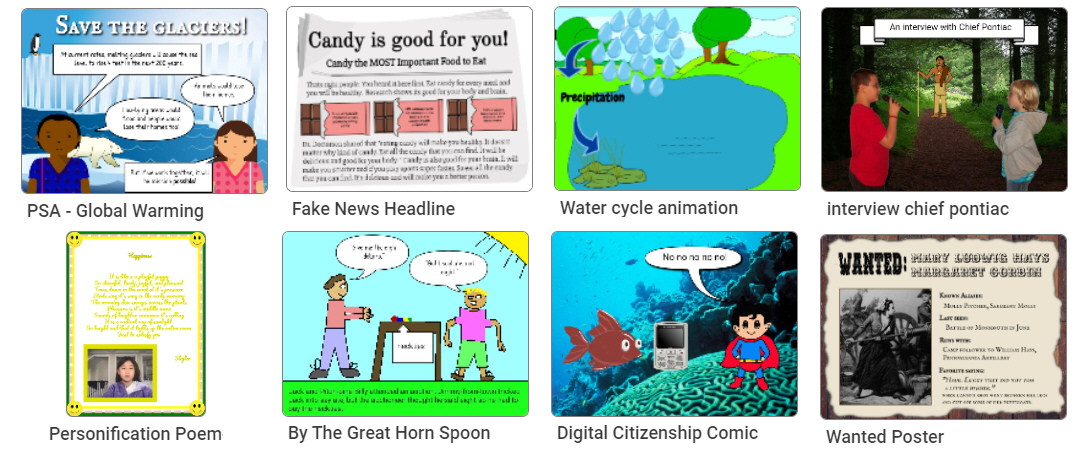
Most Wixie classroom projects start with textual forms of communication as students write to share their ideas. As they write, they organize their thinking and move outward to other forms of media communication. If a picture communicates more quickly or effectively, they can draw, capture, or add one. If voice narration can better help them connect with their audience, they have the opportunity to practice intonation and expression through voice recording. If a visual diagram is complicated, they can circle back to add text labels to communicate ideas more clearly.
To engage students in their learning, it's important to provide student projects with an authentic audience that values and benefits from their work. Because student work in Wixie is online, students can share instantly. Students can easily broadcast their ideas through the Web to raise awareness, share ideas, and effect change.
Creativity
Wixie provides multiple pathways for students to share ideas and information. While Wixie includes many options for using visuals, creativity isn’t about art or painting pictures. Students can use whatever combination of text, images, audio, or video that best communicates their ideas or the information they want to share.
Creative project work in Wixie results from questions and tasks that have no obvious right answer. Providing a highly specific template that spells out exactly what a project must contain leaves no room for student creativity, let alone thinking. It doesn’t mean you can’t add directions or requirements; just make sure to have thoughtful discussions with students about what constitutes high-quality and effective work.
Give students Wixie assignments that require creative thinking and provide choice during project work. Expect that every project will look different because each student is a unique individual and learner. Transfer responsibility for learning and demonstrations of that learning by asking students to take control of the process and project design.
Collaboration
While many students hate collaborating and teachers find it difficult to assess in a world filled with individual testing, teamwork is at or near the top of almost every list of today’s necessary career skills. To build these skills in our students, we need to provide opportunities for them to work together in situations where the outcome matters.
Collaborating exposes us to different perspectives and leads to more diverse and varied ideas, especially when the group is heterogeneous. Having students work together to achieve a goal helps them recognize the value of the contributions and perspectives of all team members and prepares them for life in the 21st century.
In addition to the ability to import pages to collect work from individual team members into one final team project, Wixie includes a Team feature that lets students collaborate in real time! Teachers can create and assign team projects before students begin work, but students can add other classmates to a project even if they have already begun working. (Teachers automatically get added to team projects created by their students.)
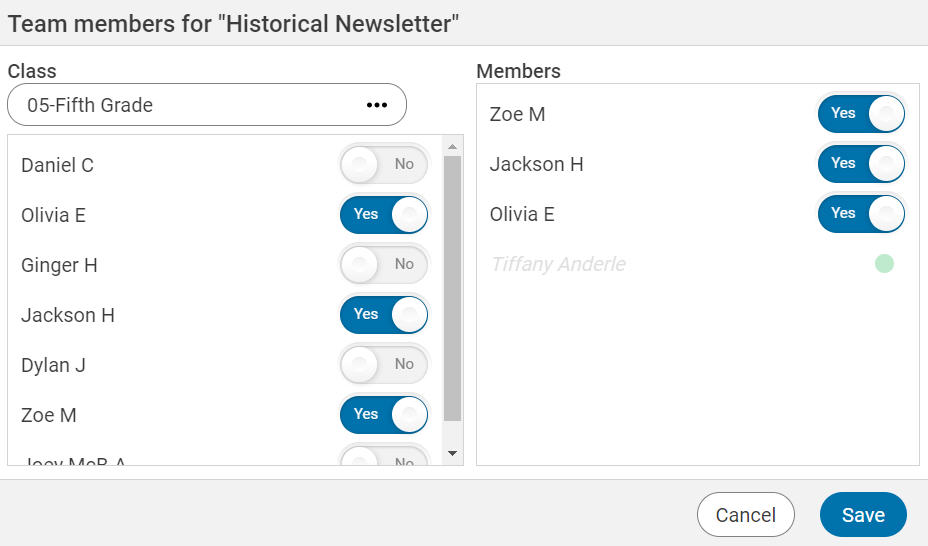
As they are working on their Team projects, students build collaborative skills as they:
- work together to choose project direction,
- assign roles and tasks to individual members, and
- collect feedback and edit the combined efforts of their work.
There are many right ways to build the 4Cs in your classroom. Wixie provides a powerful platform you can use to engage learners in the curriculum, as well as build these essential 21st-century skills.