
Create powerful portfolios in Wixie
A portfolio is a powerful learning tool designed to both show and promote a student's growth in learning and progress in the development of specific skills. Wixie includes portfolio templates students can use to collect, organize, and reflect on their learning over time.
Developing portfolios in the classroom has many benefits. It encourages students to actively engage in the learning process as they select work that demonstrates growth and reflect on their efforts. Digital portfolios provide a window into individual and classroom learning for parents, caregivers, and other stakeholders.
Using Wixie to create learning portfolios
Wixie is the perfect tool for developing learning portfolios. Wixie’s Design Templates library includes a Portfolio folder filled with files students can use to help them collect, organize, and reflect on their learning.
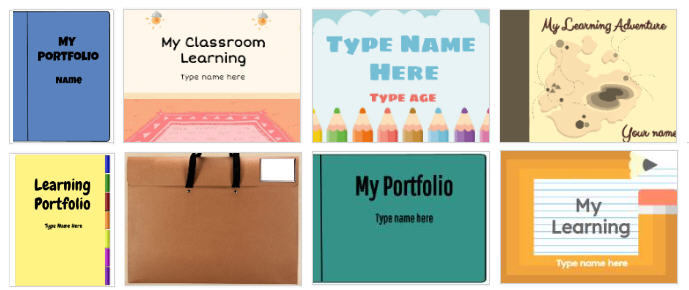
Students can add images, text, voice, and even video to capture examples of their work and record reflections about their progress.
If students have completed digital assignments or even multi-page projects in Wixie, students can embed their work in their portfolios.
Introduction
Students should kick off their portfolio development process by creating a page that shares information about themselves, both as a human being and as a learner. Students can also include a goals page that articulates their role in the learning process.
Artifacts of Learning
A portfolio is a collection of student performances over time. A portfolio is not simply a collection of a student's best work, but work they have chosen to specifically demonstrate achievement of a specific goal or significant growth in a particular area.
The conscious selection of and reflection about their work are what make portfolios such a powerful learning and assessment tool. Students should choose work to add to their portfolio because the work:
- is personally meaningful,
- indicates progress toward learning goals,
- demonstrates mastery or achievement of a particular skill, and/or
- highlights an exceptional performance.
Reflections
Adding work to a portfolio is just the first step. Each piece of work added should also include a corresponding reflection. The benefit of using portfolios for richer assessment and learning is only realized when students reflect on their learning.
The process of reflection helps students build metacognition. This deeper understanding of their thought processes fuels future learning and growth. According to Dr. Helen Barrett, a pioneer in digital portfolios, "Self-assessment, when students critique their own work and reflect on the learning process, is the most powerful and long-lasting form of assessment."
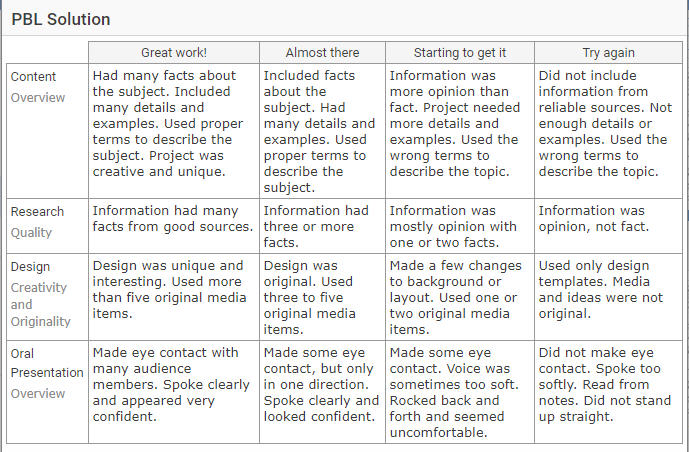
Providing clear evaluation criteria for student project work is essential for guiding the student reflection process. Wixie's assessment tools let you create and add checklists and rubrics to assignments so that students have a clear picture of your expectations for their work.
Sharing their portfolio
While the real benefit of portfolios occurs during the process of making them, they are intended as a showcase or window into student learning. Sharing their work and showcasing the results of their efforts is a huge factor in motivating students.
The easiest way to share student work with parents and guardians is with Family Sharing. With Family Sharing, you can instantly send parents an email with a link to their child's portfolio.
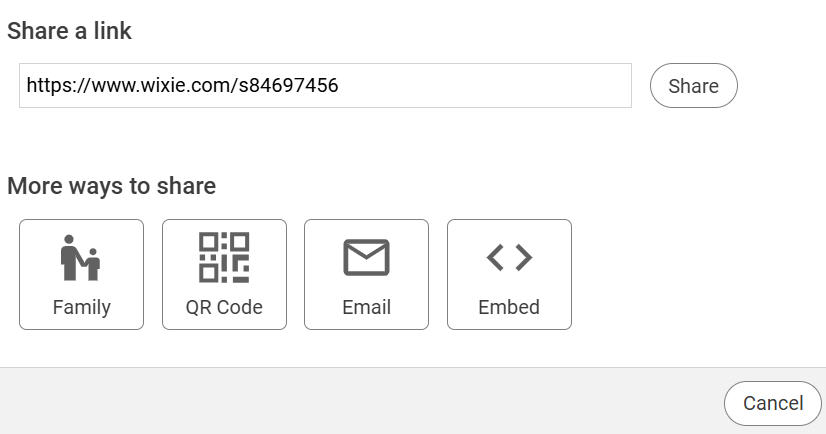
The Share dialog also includes an embed code that allows you to showcase an entire portfolio on a classroom website.
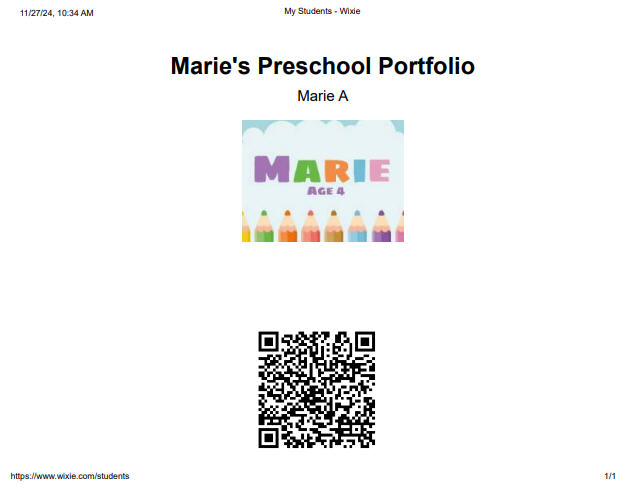
While you can print student work, you lose the benefits of voice and video reflections. Instead, use the Project Wizard QR code print option. This allows you to print a page for each student that includes a picture of their portfolio along with a QR code that links to it.
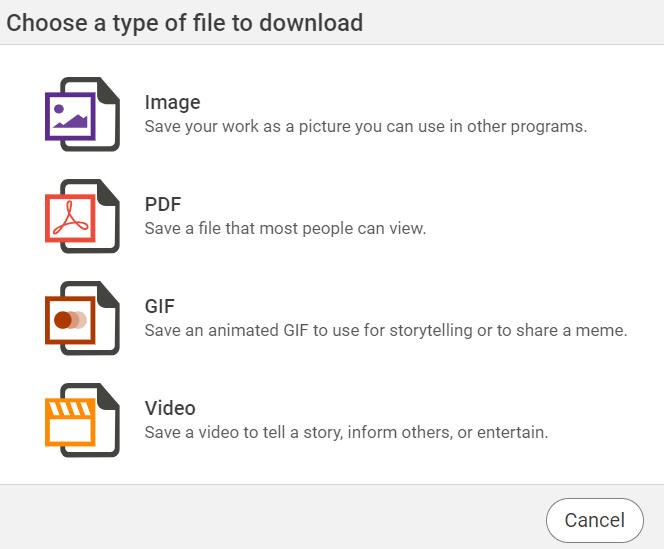
You can also export or publish student work in a digital format by going to the File menu, choosing Download, and selecting an option like PDF or Video.
It's time to get started with portfolio assessment in Wixie!
Building effective portfolios in Wixie requires students to engage with meaningful work connected to high expectations, demanding assessments, and dialogue between students and teachers. This powerful meaning-making process can help you transform your classroom into a student-centered learning environment!
 Effective Integration
 Instructional Design
 Learning Strategies
 Literacy
 Month-by-Month
 Product Ideas
 STEM/STEAM
 Share and Showcase
 Updates
 User Management