
How to get started using Wixie with kids at home
Did you know that if your child uses Wixie at school, they can also log in at home? Wixie provides many ways to bring learning home while avoiding worksheet or workbook-style activities.
In the classroom, students use Wixie to combine text, images, voice narration, original artwork, and video to write stories and show what they know for a range of projects. But when Wixie opens to a blank screen at home, many parents (although not many kids) can be intimidated by that white page!
Here are some ideas to help you and your child start using Wixie at home.
Start with play!
For the most part, students who use Wixie at school know exactly what they want to do with it at home... Play and create!
While Wixie is way more than an art tool, if you feel the need to provide direction to your child, start by encouraging them to treat the blank page like a blank piece of paper and play with the art tools.
Encourage them to “make a mess” with as many paint brush sizes and colors as possible or add 100 different pieces of clip art. Here are a few samples of the type of "art play" children have created with Wixie.

Play provides children with an opportunity to take risks and make mistakes without consequences. Playing in Wixie helps them learn the rules, constraints, and opportunities available to them in the application as they create to share ideas and imagination.
Children who love to write will quickly start adding thought bubbles and captions. Many will discover they need more than one page to tell their story, so be sure to show them the Add Page button. Motivate your emerging writers by printing their work as booklets (4 pages) you can fold and read away from a device and even mail to family and friends.
Many children who don’t like to write still love to share ideas and information. When they start telling you a story, open Wixie and click the Record button on the tool palette, or have them add a Talkie to record narration.
Once they have recorded, use the Play button to listen to their ideas, and encourage them to add art, images, and words to the page.
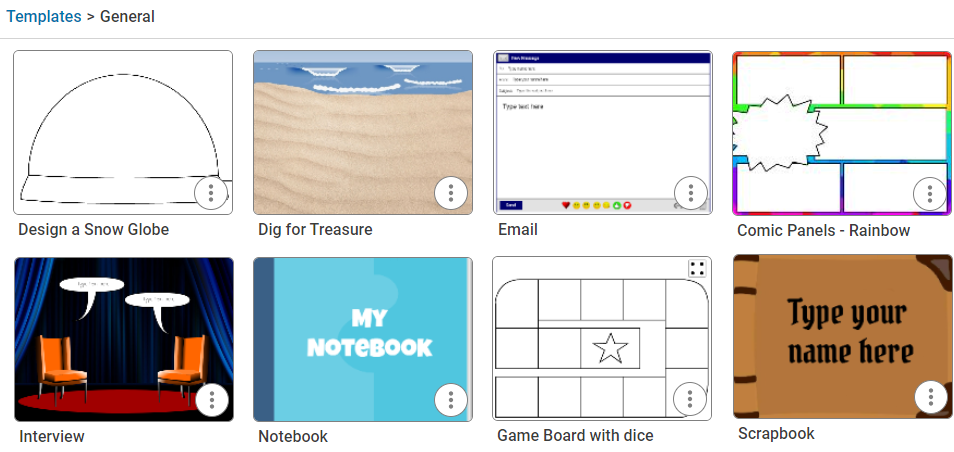
When students log in to Wixie, they can browse the Curriculum Activities and Design Templates libraries for project ideas that can help get them started. Explore the templates in the General folder for fun template ideas like a Super Hero ID Card or Wanted Poster.
Here are a few other ideas for fun projects that start from a blank screen
Paint with symmetry
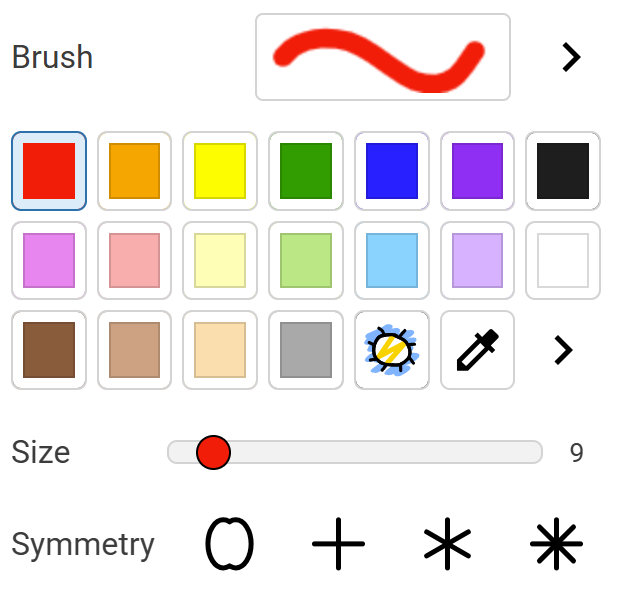
Even if a child isn’t your typical art kid, they all love to see what happens when they turn on the symmetry tools. You can see the symmetry options when the paint brush is selected.

Turn on a single axis to paint with mirror symmetry. Challenge your child to draw symmetrical objects like a butterfly or kite using the mirror options. You can find more ideas for mirror symmetry in this Symmetry lesson plan.
You may remember playing with a Spirograph as a child or have even purchased this fun art toy for your child. Painting with the 4, 6, 8, or 32 lines of symmetry options is much like working with Spirograph, only a whole lot easier (and much easier to recover from a mistake).
Create an eCard
Many children dislike the effort of physically writing thank-you cards after a birthday party. Use Wixie to take a picture with each gift, add it to a page, and record a thank you specific to the gift and gift-giver. Then, email the project URL to the giver (well, the giver's parent).
Have your child capture their image or draw a picture to create a digital birthday greeting for a grandparent or other family friend. Hearing your child's voice wishing them a happy birthday is a memory they can relive over and over by reading the digital card.
You can also print multi-page projects as booklets and greeting cards to send by snail mail. However, the addition of your child's recorded voice saying thank you makes the digital version priceless!
Parent guides
Explore the parent guides for ideas you can easily implement at home to support what your child is learning in the classroom.
Explore the guides for:
Wixie is free to use at home for students with a subscription at school!
Students who have Wixie at school can use this online tool at home simply by logging into their account using a browser on a home computer, tablet, or even their parent's phone!
If your child loves Wixie, but has changed schools or moved grades, you can purchase a family Wixie subscription for them.
No matter what you and your child make, have fun creating together!
 Effective Integration
 Instructional Design
 Learning Strategies
 Literacy
 Month-by-Month
 Product Ideas
 STEM/STEAM
 Share and Showcase
 Updates
 User Management