
Using virtual manipulatives to build number sense and math foundations
From Unifix cubes in primary grades to algebra tiles in secondary, math manipulatives provide a tangible way to help students see and grasp the nature of numbers and procedures.
Wixie takes manipulatives into the virtual realm
Wixie's Sticker library includes a wide range of virtual math manipulatives students can easily arrange and group to manipulate numbers and procedures. Not only do you not have to pay hundreds for tangible objects you have to store, you don’t have to manage material distribution and can focus on supporting student learning immediately after they log in.
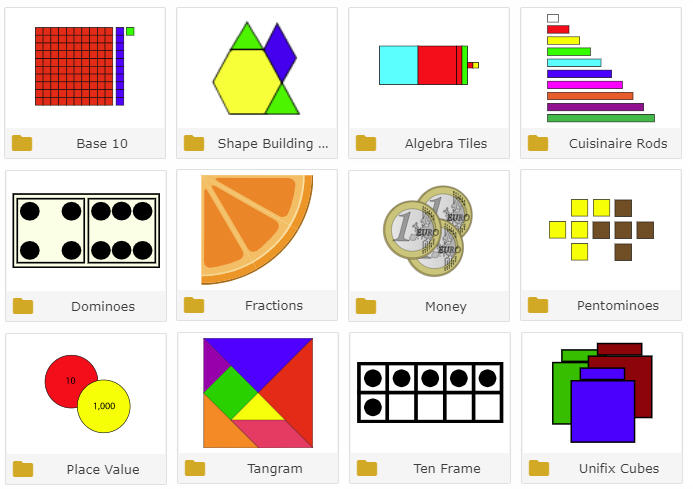
Using templates with virtual manipulatives
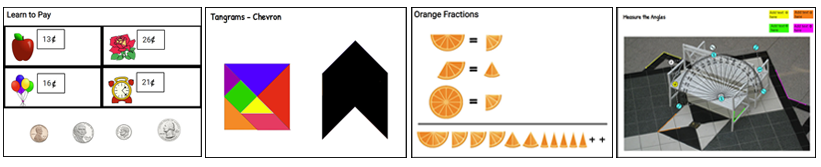
Use the standard-based templates in Wixie's Curriculum Activities library to support student practice and for formative assessment purposes. These templates include work with money, fractions, tangrams, shapes, and more. While not a traditional math “manipulative” per se, Wixie also includes virtual measurement tools like rulers and protractors.
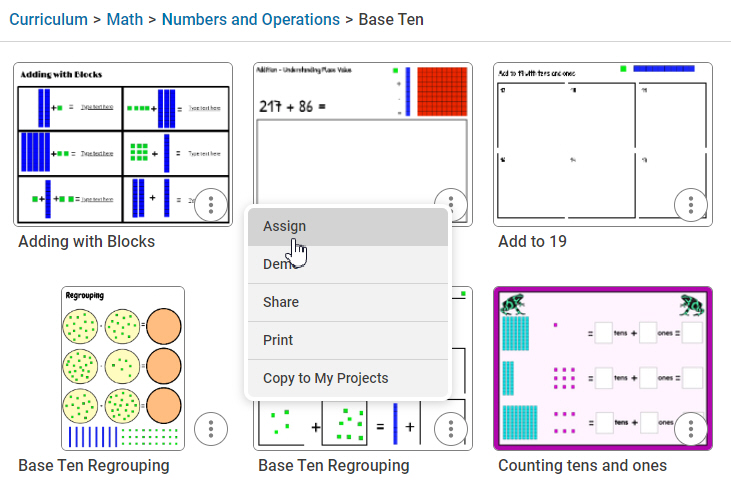
Browse the Math category in the Curriculum Activities library or use the search field at the top of your Wixie home page to find a template already containing the virtual manipulatives you want to use. To assign a template to students, select the “more” dots to the right of or below the template and choose Assign.
If you want to customize the assignment, open the template and choose Customize from the toolbar. If you choose to customize a template, or even create one from scratch, you can add manipulatives to the page to make it easier and faster for students to begin working.
You can set object properties, such as clone and scale, in templates you customize and create. If you set a virtual manipulative to clone, each time a student selects and moves the object, it makes a copy. This frees up space to work and create with base ten blocks, Unifix cubes, and money. You can also turn off scaling so students don’t accidentally change the size when they meant to move. This is especially useful when working with tangram shapes and tessellation patterns.
Using virtual measurement tools
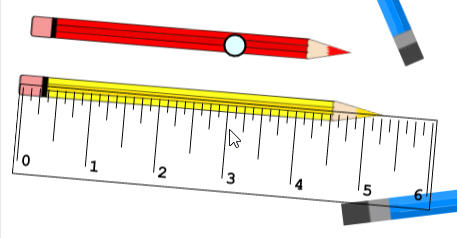
Wixie includes Measurement tools that make it easy to evaluate student understanding of length and angle measurement.
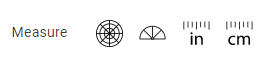
When selected, these tools float above a page. They can be rotated, but not resized, so you know if students were using them correctly.
Build math foundations through play
Virtual manipulatives can provide opportunities for play-based learning, too.
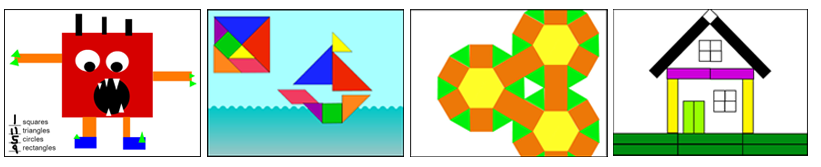
Many students have played with tangram shapes or puzzles at home. Moving and rotating tangram shapes to fill a silhouette helps students build and practice powerful math skills and understandings like congruence, spatial visualization, looking for patterns, and transformational geometry.
Asking students to use a range or combination of Cuisenaire rods to make equal lengths is a great formative assessment for you. Creating images and designs with Cuisenaire rods can be a more powerful learning opportunity for your students. As they work to create images and designs, they begin to conceptualize not only how a unit of ten can have a range of factors, but how they can apply this knowledge of equivalent value and fractional value to achieve their vision.
Working with virtual manipulatives is a fun way to practice and apply number sense and math skills. Virtual manipulatives are becoming an essential part of many online assessments, and using these regularly in the classroom gives students the confidence to show off their mathematical learning.
As you get started using virtual manipulatives rely first on existing templates, then watch your students work, so you can create your own virtual manipulative experiences that work to motivate, engage, and empower your learners.
 Effective Integration
 Instructional Design
 Learning Strategies
 Literacy
 Month-by-Month
 Product Ideas
 STEM/STEAM
 Share and Showcase
 Updates
 User Management