





Paint with Pointillism
Grades: 3-12
Paint with Pointillism
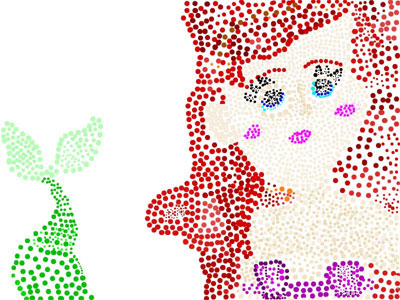
Students can create pointillist art by creating dots using Wixie's paint brush tool along with the size and zoom options.
Introduce students to pointillism using George Seurat's A Sunday on La Grand Jatte. Zoom into the painting to show students them how pointillist art is created from small dots of color.
You might also explore more familiar Impressionist painters, like Van Gogh and Pissarro, who also painted using pointillism.
If you are working with young learners, you might also explore pixel art, where students fill squares of color to create images. It's easy to find pixel art examples online. Then, assign the Create Pixel Art template to practice.
Before they stare at a blank paper or blank digital canvas, have students choose the subject or scene for their painting. It is especially helpful to have a photograph or image to use as a model.
Have students start a new blank project in Wixie. Then, use the Paintbrush tool, along with it's sizing options to create dots.
Demonstrate how to use the Zoom slider to work with more precision.
Exhibit student art in your classroom, school, or local business. Host a "Meet the Artist" event where students act as docents to share information about pointillism and the painter's who used it.