
Using Wixie to make your teaching life easier
Wixie is a productivity tool for students, yes, but have you considered using it to make you more productive too?
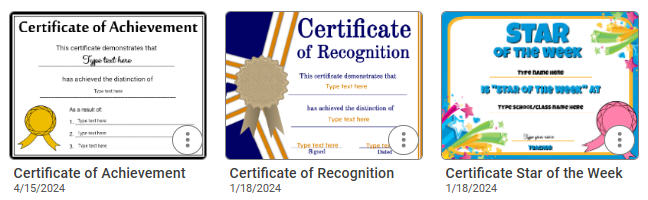
Wixie includes tools you already know AND templates designed specifically for teacher productivity. Use the following ideas to support your classroom management and to make your classroom reflect what makes you unique.
Classroom Management
The Teacher folder in the Design Templates library is filled with files that make managing life in a classroom easier and can help save you time.
Seating charts
Use the Seating Chart template for a quick way to add and modify seating locations. Using a digital version (where you can also easily duplicate the page), makes it easy to modify quickly to support an individual student’s learning needs, changes in behavior, and adjust for classroom group work. Adding student photos to the map provides an up-to-date visual map of your seating arrangement for substitute teachers and guest speakers.
Certificates
Creating customized certificates in Wixie makes it easy to recognize and celebrate students' academic progress as well as provide special recognitions, like "Student of the Week," in a timely, cost effective, and personalized manner.
Invitations
Customize invitations to quickly communicate and organize school events. Then, simply use Family Sharing for a quick and cost-effective way to share details with parents and caregivers.
Classroom newsletters
Like an invitation, fill in one of the Classroom Newsletter templates and then share the URL via email to quickly distribute information about what is happening in your classroom. Customize the colors, shapes and art using the paint tools and image library to match your own design style.
Design to Create and Model
Model using Wixie as a creativity and communication tool, by using it as your own personal design and branding tool.
Introduce yourself with Wixie
We start the year by having students introduce themselves with an All About Me project. You can model this process before students even join your classroom, by creating yours in Wixie. Send to students and families before school begins to give the a sense of expectations and classroom culture as well as let them meet you first as a human being with a life and interests outside of the classroom.
The Teacher templates folder contains a Meet the Teacher template you can use, but consider completing one of the All About Me templates you want your students to use.
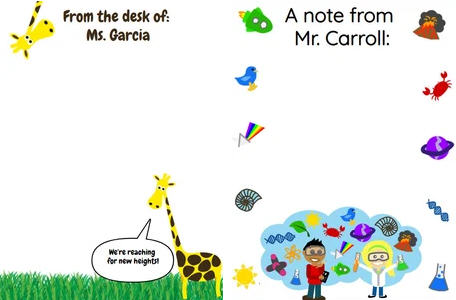
Design your own classroom stationery
Throughout the school year your classroom will have visitors to come speak to the students, volunteers to work with them in the library or for special events, and donations that come in for various reasons. Model the art of writing thank you notes or letters on your own unique classroom letterhead!
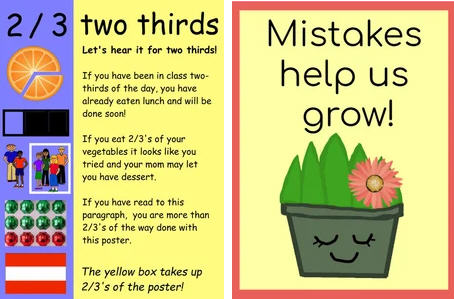
Create custom classroom posters
Teachers put a lot of thought into making their rooms colorful, interesting, and welcoming to students. (Thank you by the way). Yes, online sites are filled with posters specifically designed for the classroom, but none of these are specifically designed for you!
Instead of buying posters, use the tools in Wixie to make them yourself, modelling both creative risk taking and craftsmanship.
Produce a book trailer
It's takes creativity and work to interest some students in reading. Book trailers (movie-style trailers for books) are a great way to interest readers. Again, you may be able to find one online, but consider producing your own with Wixie. This way you can highlight exactly the parts you think will interest them as well as include themes and questions you want them to consider.
This is especially effective if you are going to consider asking students to create their own book trailers!
If you are looking to save time, obviously start with the ideas at the top. But using Wixie as a designer gives you a chance to get more comfortable creating with technology, building your creative skills and modelling how to move beyond consuming with technology to the more powerful role of creating with it.
 Effective Integration
 Instructional Design
 Learning Strategies
 Literacy
 Month-by-Month
 Product Ideas
 STEM/STEAM
 Share and Showcase
 Updates
 User Management