
Five ideas for creative classroom centers
Are you ready to take your classroom technology center to a new level of student engagement and productivity?
Use these five ideas to jump-start center work and provide meaningful tasks that move students beyond drill and kill.
1. Write using image prompts
Writing a story on a blank page can be daunting for emergent and reluctant writers, especially second language learners. Make writing less intimidating by providing a collection of background images that students can use to layer text and images.
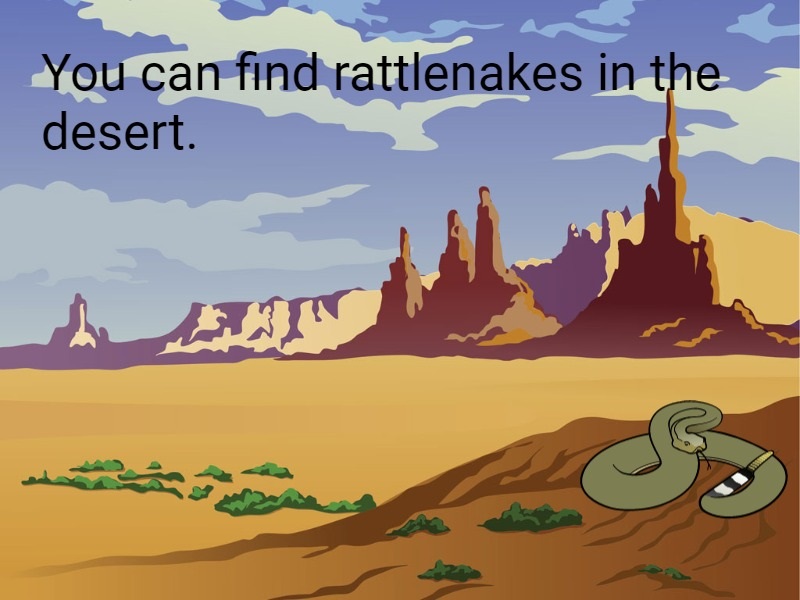
Create your own assignment by starting a new file and using the Image button on the toolbar to add a background image that aligns with a story or curriculum unit. Use a single-page template to get students thinking and writing about nonfiction, or add multiple pages to prompt ideas for storytelling.
If students finish writing before center time is over... have them use the Page button to add a page to the project, add additional text, and include supporting images.
Once students know how to do this project... assign a new project consisting of a title and a blank page. Add instructions that direct students to add their own backgrounds and images to prompt their writing.
2. Design vocabulary trading cards
New vocabulary words “stick” better when students can associate them with images and words they already know. Printing and sharing vocabulary cards with peers engages them in the process by providing purpose for their efforts.
To make the process easier, assign a vocabulary card template, such as a Frayer-model diagram, you want to use. You can search for “vocabulary” or “trading” in the field at the top of your home page to find existing templates or browse the Vocabulary folder in the templates libraries.
If students have access to a printer, have them go to the File menu, choose Print, select Trading Card, and make sure the Repeat Pages box is selected, so that the printed page includes nine copies of the trading card.
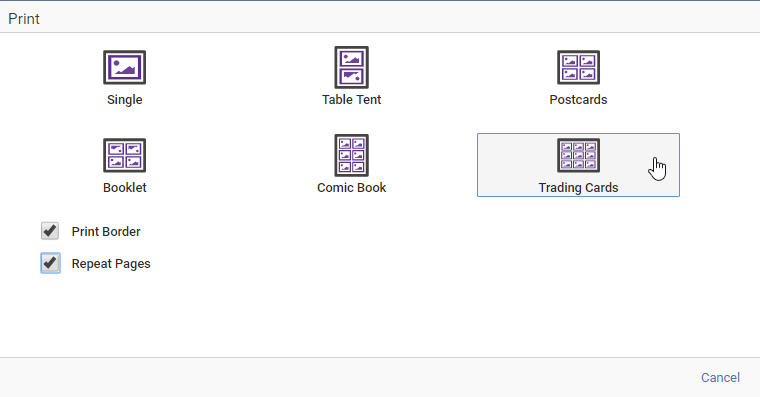
If students finish writing before center time is over... instruct them to go to the Edit menu, choose Duplicate and create a second page.
Once students know how to do this project... have them create trading cards for people you are studying in history or animals you are learning about in science.
3. Create poetry with sight words
You probably have sight words or vocabulary terms posted on a word wall or other area of your classroom. In addition to their efforts to memorize these terms, have students practice using these words in their writing!
If students finish writing before center time is over... instruct them to go to the Edit menu, choose Duplicate to create a second page and write another poem.
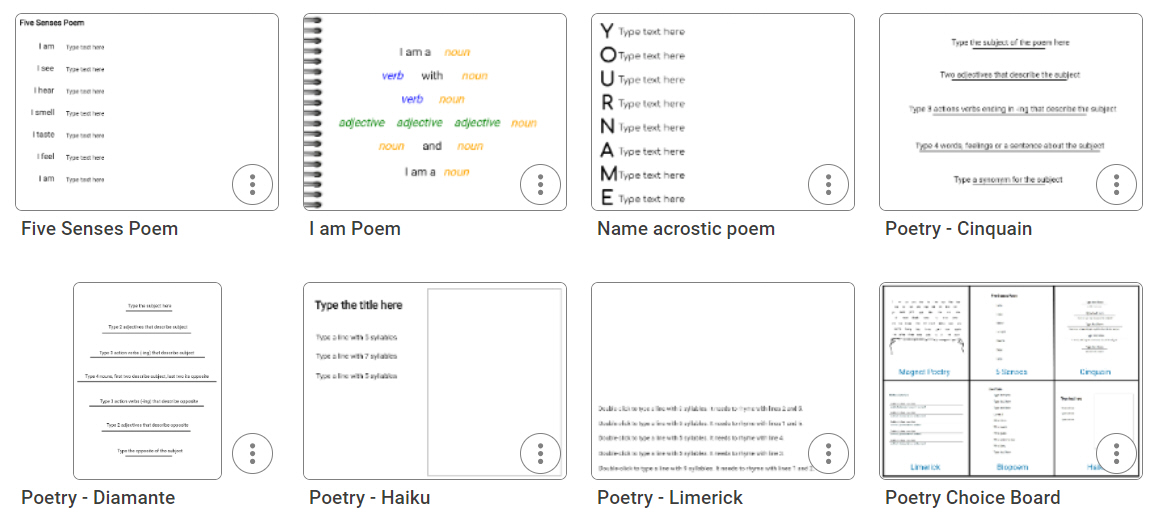
Once students know how to do this project... have them write other forms of poetry, such as acrostic or haiku. To simplify the skills, assign one of the poetry templates that include directions and pre-existing text boxes.
4. Write a friendly letter
Ask students to write a friendly letter to a character in a book they are reading to motivate them to not only practice this writing format, but to consider a character’s traits, thoughts, and motivations.
If students finish writing before center time is over... provide instructions for adding a stationary background image to their letter.
Once students know how to do this project... have them use the text and imaging tools to retell important events in a story.
5. Review a favorite book
Since students love to share their opinions, ask them to create book reviews to help their classmates find that “just right” book to read. Students can always create reviews from scratch, but there are several templates, such as the book review cube, making it easy to implement!
If students finish creating before center time is over... have students print, cut, and glue the review cubes for display in your classroom or school media center.
Once students know how to do this project... have them use the cube template to create blocks that share information about a topic, such as Native Americans.
Take advantage of Wixie activities and templates
Assigning a specific activity for each student to use at a station, means you can limit the number of skills they have to know. While students can always use the Text and Images buttons and paint tools to write and illustrate a poem, assigning the Dolch Poetry template allows students to see exactly the file you want them to work on when they log in. Students only have to know how to click and drag the mouse.
You can also customize a template's instructions to make it more appropriate for independent center work. If you customize a template before you assign, add instructions to avoid questions like, “Teacher, what do I do next?" For example, if students are creating vocabulary trading cards, you can paste the list of terms they can choose from into the instructions and they will show as students begin working.
You can also assign a default folder of images to any template. When you set a default category, a specific folder of images from the Image library will show immediately when students use the Image button. So if your template is about money and making change, the Image button would open directly to the Money library to show different coins.
 Effective Integration
 Instructional Design
 Learning Strategies
 Literacy
 Month-by-Month
 Product Ideas
 STEM/STEAM
 Share and Showcase
 Updates
 User Management