
7 reasons Wixie works for student learning
Wixie is an online tool for digital project work where students can share their knowledge, ideas, and thinking through a combination of text, art, voice, and video. Wixie provides teachers with a range of tools to manage and evaluate student work.
From math to music, science to social studies, and writing to social-emotional learning, there are many ways to use Wixie! Teachers can assign formative assessments for practice and evaluation, graphic organizers to support thinking, and let student creativity soar with open-ended, blank-canvas project work.
But that is what Wixie is and what it does. Here are 7 reasons why Wixie works for student learning.
1. Learner-centered design
Wixie has easy-to-use tools, multiple ways to share work, and the flexibility to modify and differentiate for a variety of learning needs. Wixie gives teachers and students robust tools to support a universal design for learning (UDL) approach.
Get students learning and creating by providing a platform for them to produce high-level work. Wixie has two interface options: Standard and Primary. As a result, teachers can choose the appropriate amount of options and features for each learner.
Standard:
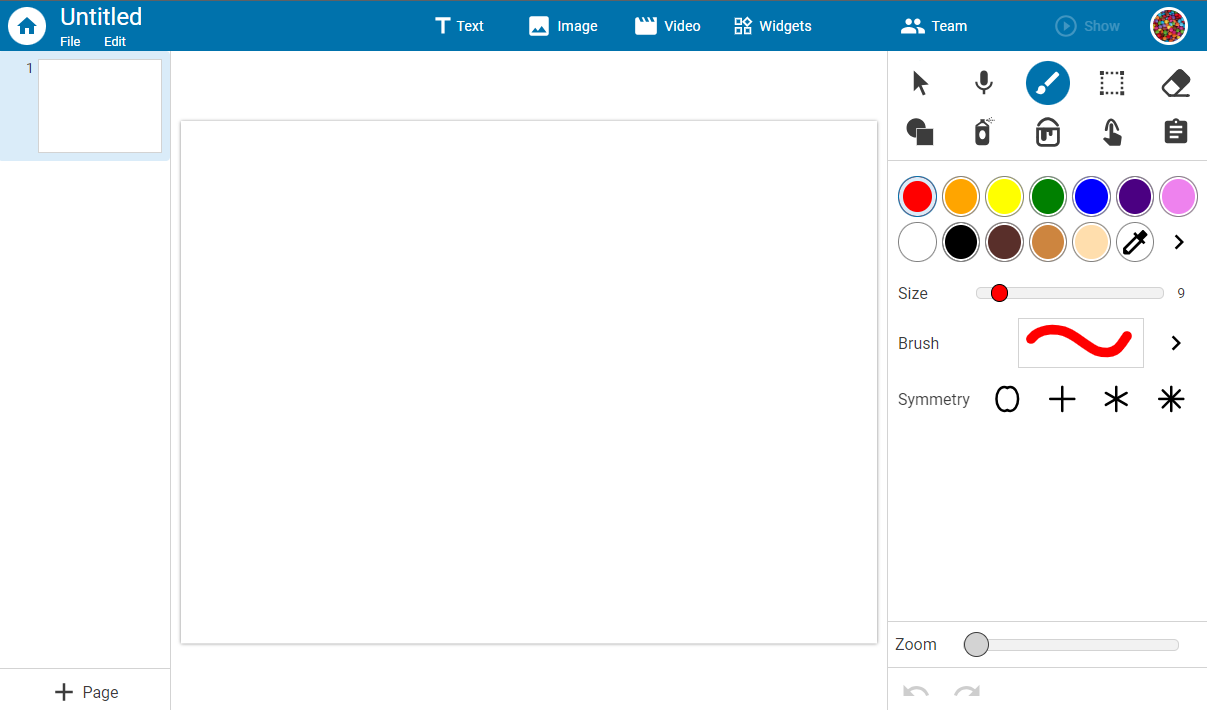
Primary:

Which interface should teachers choose for their learners? It’s simple to find the look and feel that’s right for students.
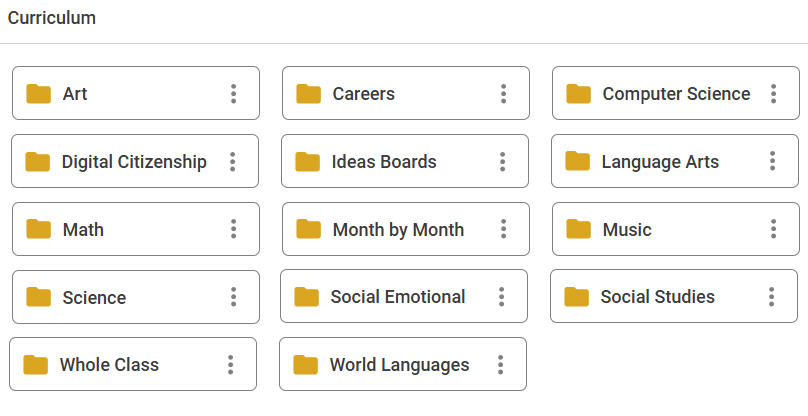
2. Expanding Curriculum Activities and Design Templates libraries with 3000+ files
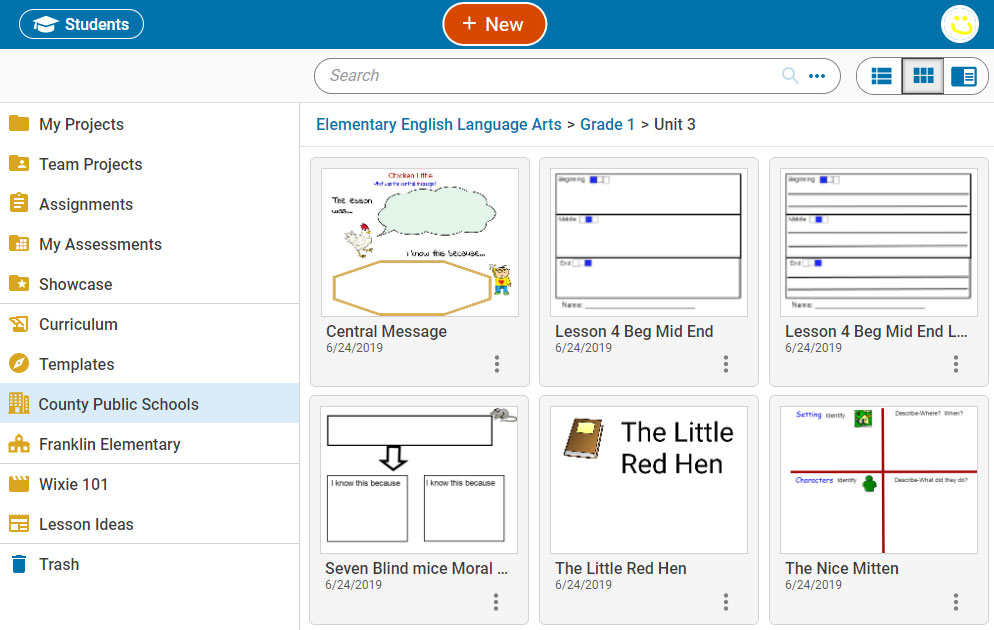
The Curriculum Activities and Design Templates libraries include over 3,000 customizable, standards-aligned templates, ranging from formative assessments and practice to graphic organizers and project templates teachers can assign or that students can use to begin working in Wixie independently.
3. Create assignments from existing PDFs
Teachers can upload a PDF file into Wixie and quickly edit and assign the activity. Each page of the PDF will become a background page in a project. Educators can even upload PDFs in bulk by selecting multiple files in the file-chooser dialog.
Students can add text, images, paint, sound, and video to complete the assignment.
4. Amplify student voice with multimedia authoring
Every learner is unique. The many tools and options provide a fun way for students to demonstrate their creativity and explore and share their passions, resulting in increased motivation and engagement.
Students can:
- use art tools to draw diagrams and illustrations,
- write and record voice to tell stories and inform others, and/or
- record video descriptions and presentations to raise awareness and persuade.
5. Create and share custom curriculum
Teachers can use the various tools to create and share custom curriculum, making it easy to deliver instruction both in class and remotely. For example, they can design a simple drag-and-drop formative assessment, record an introduction to an open-ended project, or use combinations of text, images, voice, and video to create a mini-lesson.
Educators can also share original and customized projects with one another in Wixie. This allows schools and districts to create and distribute their own customized library of digital materials specific to the standards and learning goals of their organization.
Every project has a unique URL that can be shared with others. Wixie-using teachers at any site can also "Make a Copy" from this URL to add and use in their account.
6. Empower collaboration with the Team feature
The Team feature allows students to easily collaborate on projects. Teachers and students can use the Team feature if they are learning in class together or from home. By default, teachers are added to Team projects, allowing easy access to monitor group progress, support student effort, and provide valuable feedback.
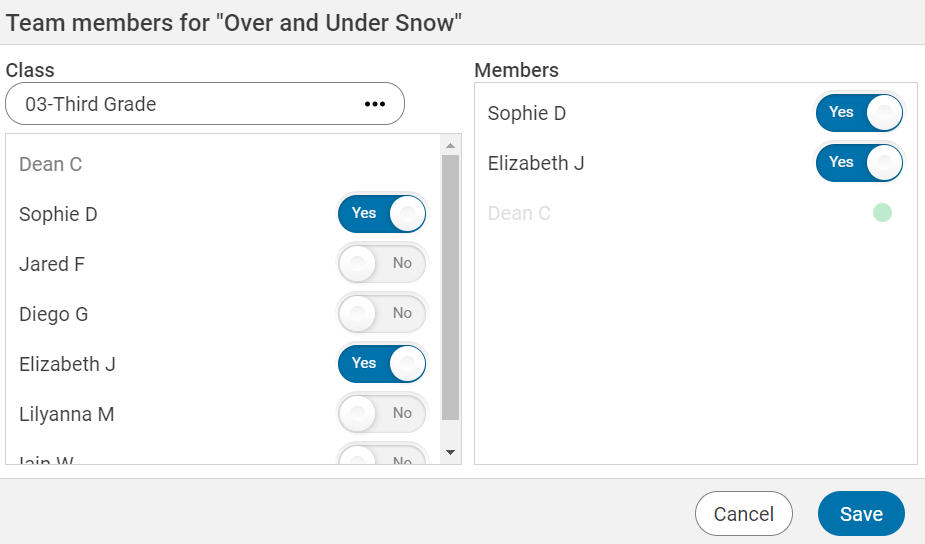
The Team feature works within a Wixie subscription, supporting real-time project collaboration across classes, grade levels, and schools. This means you can use Wixie for cross-grade and cross-classroom projects with learners from different classrooms!
7. Tech4Learning is like no other company
Tech4Learning provides support at no additional cost to help schools and districts get set up and running with Wixie. In addition to free online training resources, Wixie integration specialists will support schools and districts as they provision users and begin using Wixie in the classroom.
Teachers and administrators using Wixie consistently request new media, templates, and features that will help them better deploy Wixie. Our team prides itself in encouraging and welcoming this feedback and works to respond as quickly as possible.
It's time to give Wixie a try
Curious about using Wixie with your students?
Set up an evaluation account or pilot subscription for your school or district so you too can use Wixie for face-to-face, hybrid, and at-home learning.
 Effective Integration
 Instructional Design
 Learning Strategies
 Literacy
 Month-by-Month
 Product Ideas
 STEM/STEAM
 Share and Showcase
 Updates
 User Management