
Build vocabulary with Wixie
Students love to use "big" words, and a strong vocabulary is essential to academic and career success.
Here are some fun ways to use Wixie to explicitly teach vocabulary and engage students in the process of making sense of new words and remembering their meaning.
Vocabulary templates
Wixie’s Curriculum Activities and Design Templates libraries include many templates for explicitly teaching vocabulary. When you log in to your teacher account, search for the word “vocabulary” in the field at the top or open the Design Templates library in the list on the left and browse the Vocabulary folder.
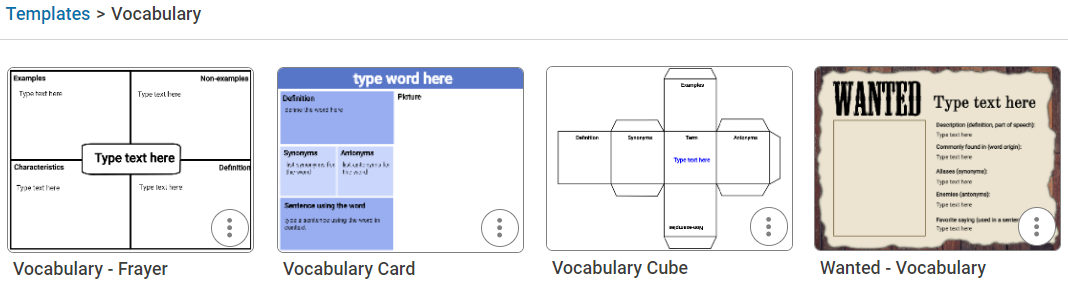
Students can use this same process to find a vocabulary template, or you can assign the activity to your students so that it appears at the top of their Wixie home page when they log in.
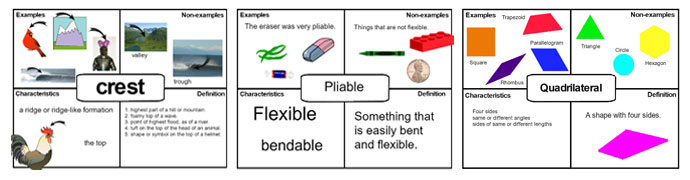
For example, you might assign a Frayer-model template to help students think about new words in a range of ways. Students can easily add both text and imagery to support their thinking in each of the categories on this organizer designed by Dorothy Frayer and colleagues at the University of Wisconsin.
The Design Templates library includes a vocabulary-themed Wanted Poster you can assign. Students can use the vocabulary-themed Wanted Poster template for a creative way to think about words.
Develop vocabulary trading cards
Even if you teach new terminology and vocabulary before students begin reading, it does not ensure that students will be familiar with all the words in a text. As they are reading, have students keep a list of unfamiliar words. Students can use the Vocabulary Trading Card template to develop a quick reference for a word on their own list.
If you have a printer, students can choose Print to print multiple copies of a Wixie project onto a single sheet of paper to make trading cards.
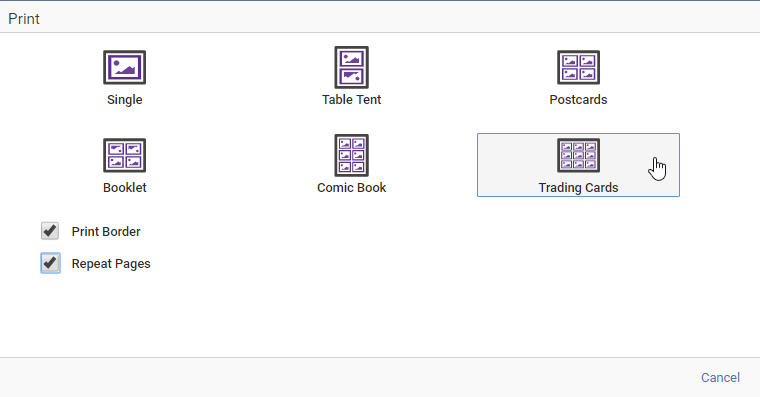
Once they have cut them apart, have them talk about the meaning of these words with other students in the class and distribute print copies of their trading cards to students who would benefit from having them as an additional resource.
Take a visual approach
According to Allan Paivio’s dual coding theory, if we code a word or concept into memory in two different ways, such as text and images, we improve our brain’s ability to remember it. Wixie's tools allow students to add images or draw their own pictures. A simple draw-and-label activity is easy to do and a powerful way to get students to visualize synonyms and antonyms or multiple-meaning words.
Brian P. Cleary has written several books that make it obvious how fun it can be to play with words. Read these fun books to your students and then ask them to build their own illustrations of:
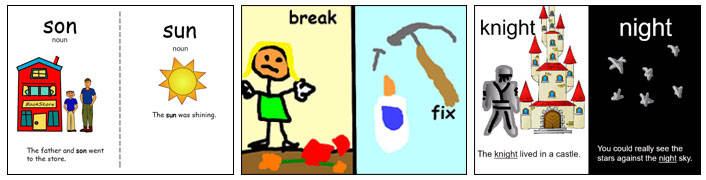
Help students connect even more deeply by asking them to use the recording tool to correctly pronounce the word or use it in a sentence. This is essential if you are working with homographs, words spelled the same but pronounced differently, such as bow and close.
Bring vocabulary to life
No matter what you choose to do, it is easy to make vocabulary instruction more than merely writing definitions and sentences that use new terminology. Use the templates and features of Wixie to bring vocabulary to life through a combination of media that helps students more deeply understand the meaning of words and remember them for future use.