
You can turn the grid on and off in a mind map.
Mind maps have a grid on the background by default. This is to help you know when students are working in this part of Wixie.

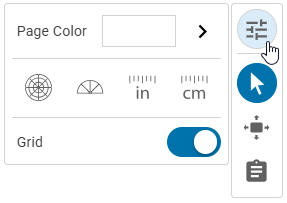
To turn the grid on or off, be sure you are using the Arrow tool on the tool palette.
Click the background of the mind map.
Select the Options button on the tool palette.
It will open to the options for the background.
Adjust the Grid slider to turn the grid on or off.