
You can create team projects for students to work with students from another class or school.
If you have access to multiple classes, such as a media specialist or guidance counselor, you can have students collaborate on a project even if they are at different grades. For example, you might want to use this for a book buddy project.
Starting a cross-class/grade team project starts the same way a team project begun by a teacher works within your classroom.
Open a new blank project or customize the template you want to use. Give the project a name.
Select the Team button on the toolbar to add students in your classroom to the project.

At the Team dialog, use the Classes button to choose the class, and then turn on the students you want to collaborate on this project.
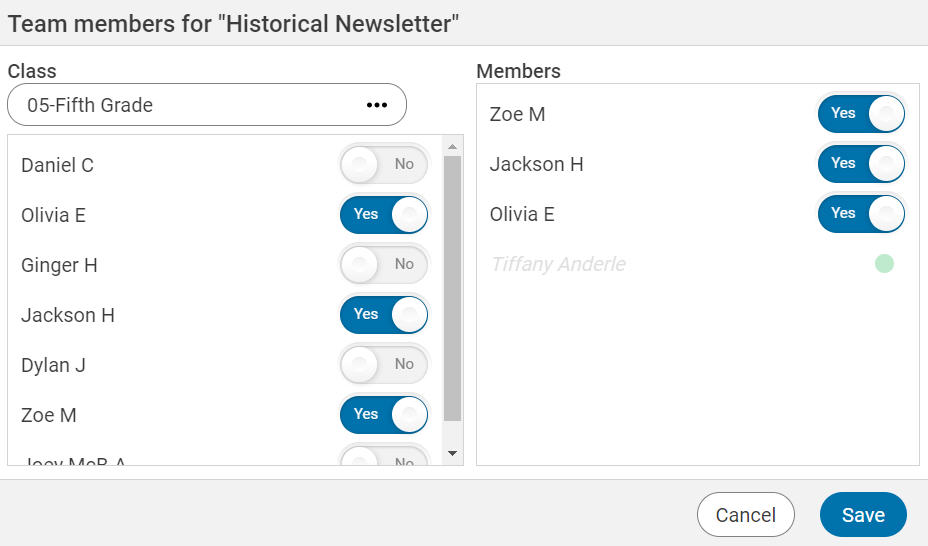
First you will add the teacher whose students you want to be able to collaborate with. In order to collaborate, both teachers/class must be under the same Wixie domain, either a single school or district.
Use the Classes button at the top of the dialog and choose Teachers.
Type the name of the teacher whose students you want added to the team project. When you see their name appear in the list, add them as a team member to the project.
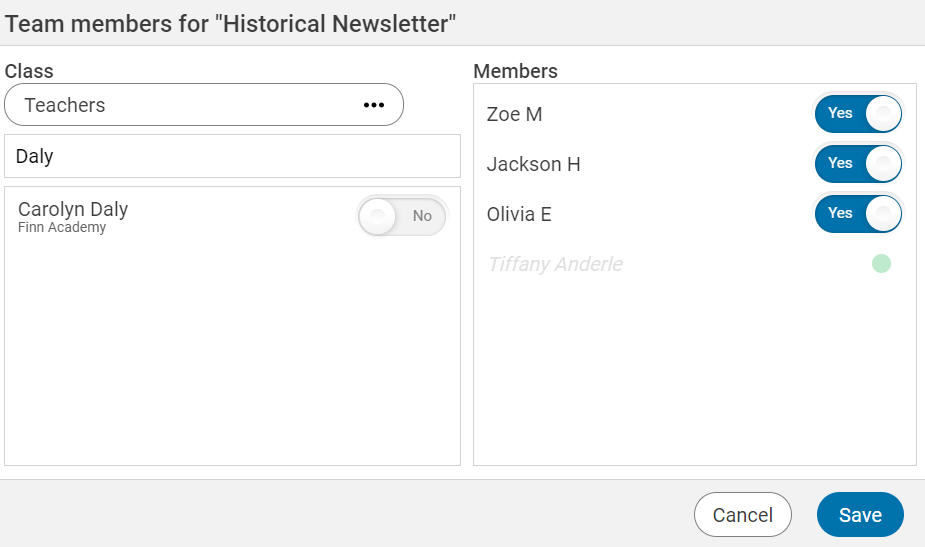
The teacher you have connected can now open this project and add students from their class to the team.
What type of projects work well across grades and classrooms?
For example, you can have students at different grade levels and schools work together to create:
Endangered animal trading cards where 4th-grade habitat experts at one school work with 2nd graders learning about animals at another site to create a trading card.
Superhero comics - Have older elementary students practice dialogue writing and inference as they work with younger students to create a comic about a superhero the younger student has designed.
Write a story - have younger students share their ideas with an older student by recording their voice. Older students can then write the text. Younger students can create basic illustrations or make suggestions and older students can add or create backgrounds.
Design a celebration - have students at the same grade level but in different classes work together to design a celebration for their grade level for an event like Earth Day or Cinco de Mayo. Student teams then create persuasive presentations to get other students to implement their idea.
If you haven't tried real-time collaboration between students in your class, use this tutorial to learn how to set up collaborative projects in your classroom. Once you have an in-class collaborative project under your belt, you can try one with students in classes with different teachers, in different grades, and even in different locations.