
You can use the paint tools in Wixie to create a reflection tessellation.
Start with a blank page.
Select the shape tool on the tool palette, select the triangle shape, select a color and make sure the filled option is selected.
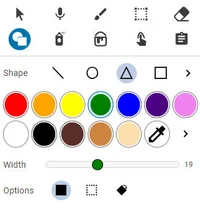




Select the shape tool on the tool palette, select the triangle shape, select a color and make sure the filled option is selected.
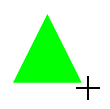
Drag across the page to draw a triangle.
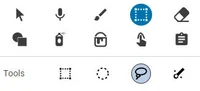
Choose the Selection tool on the tool palette and select the Lasso option.
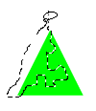
Drag the lasso starting from the top vertex of the triangle through it along a wavy pattern, out one of the side vertices, and back to where you started.
Choose the Flip the selection vertically option below the tools.
Move the cursor over the middle of the selection. Click and drag it to the opposite side of the triangle. Line it up so the edges touch and there is no space between them.
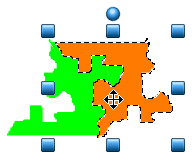
Use the Lasso selection tool to select this shape.
Go to the Edit button and choose Duplicate.
Move over the middle of this duplicate and drag to the side. Use the Paint Bucket tool to fill it with a different color.
Choose the Flip the selection vertically option below the tools to create a reflection of the original shape.
Select one of the shapes with the Lasso Selection tool. Go to the Edit menu and choose Convert to Sticker.
Repeat this process for the other shape.
Line up the new copy next to the old so there are no gaps in between them.
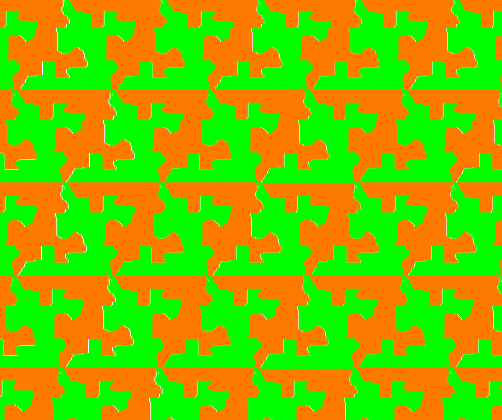
Continue selecting, duplicating and moving the shapes to create a tessellation.
Print your tessellation or export it as an image to share online.
Expert Tip:
Before you convert the shapes to stickers, you can also use the paint tools to add details to each shape to transform it into a more obviously recognizable object. Then, convert to a sticker, duplicate, and tessellate!
Before you convert the shapes to stickers, you can also use the paint tools to add details to each shape to transform it into a more obviously recognizable object. Then, convert to a sticker, duplicate, and tessellate!