
Teachers can print QR codes for their students. This makes it easy for all learners to log in to Wixie.
Go to Students page
Click the main menu and choose Students.
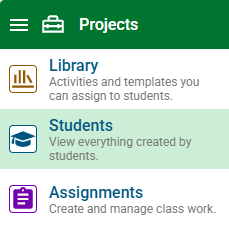
Use the Class button to change to a different class.

Select the Printables button.

Select User Cards.

You will now see a dialog with a set of QR codes for each student in the class. Select Print.
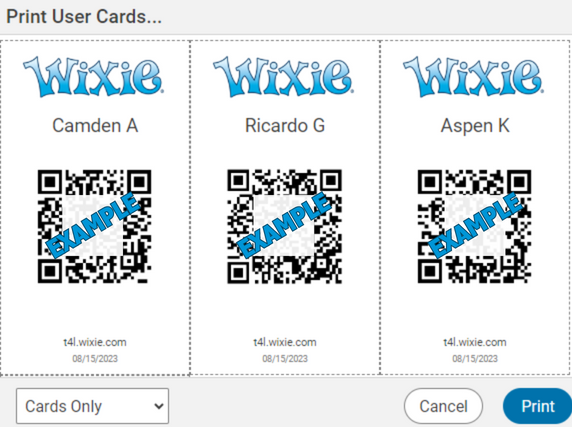
Wixie user cards will print 6 to a page at the size of a business card.
Teachers can also go to their Settings page to generate a new QR code or print a single QR code for a student.
Students can log in to Wixie with their QR codes from home; making it easy to continue working on projects.