
Designing asynchronous Wixie lessons
Power outages & no water & snow days, oh my! What do all of these have in common? They are a few of the reasons behind our district's decision to close schools.
But learning doesn’t stop in these scenarios anymore. We have shifted to virtual learning, and in the state of Maryland, with approval from the state board of education, districts can have three asynchronous virtual learning days. This means students are working on their own without the guidance of a teacher.
But just because the idea is state-adopted, doesn't mean it's easy to implement. In order to support our teachers in these situations, and to help our students make the most of an at-home learning day, the AACPS Office of Instructional Technology created several model lessons.
Design Goals
We wanted it to be easy for teachers and students to access the learning material with minimal frustration and with as few clicks as possible. We also knew we wanted the lesson "package" to be comprehensive and include all the essential components of a day at school: math, reading, writing, and science or social studies. In some cases, we opted for a social emotional component instead of science or social studies.
Every lesson package follows the same overall structure: engagement/hook, content, brain break, more content, and a reflection. Should we experience three asynchronous days in a row, the streamlined format ensures students and teachers know what to expect.
Working with Wixie
Choosing a platform for this was a no-brainer. Wixie! We love Wixie for so many reasons but mainly because it supports read aloud, voice typing, audio and video recording, drawing, and drag and drop. Elements can be locked for students, but teachers can still modify the pages if needed. Teacher directions can be typed or recorded for every page and activity. Additionally, student work will automatically be shared with the teacher without the students needing to take additional steps. Wixie is also incorporated in the AACPS Library Media curriculum at all grade levels, so even if students haven’t used Wixie with their classroom teacher, they will have been exposed to it in their media classes.
Our Design Process
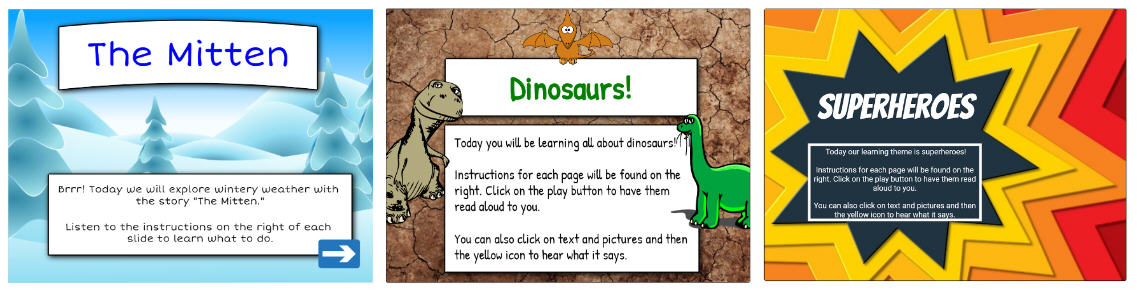
And so the process of building lessons began. We decided to band PreK &K, Grades 1-2, Grades 3-5 and create 3 days of lessons for each grade band. This made it manageable for us, while still providing a variety of choices for teachers. Choosing a theme for each lesson gave us a focus, and helped us choose the third content area to include. Since virtual instruction days can happen for any reason, we opted to only do one "Snow Day" themed lesson for each grade band.
As always, we knew what we created needed to be aligned to standards; however, since we didn’t know when exactly the lessons would be used, we chose to center on standards that were covered in the first half of the year, or in the case of the upper grades, the concepts taught in the last half of the prior year. Each lesson was structured to include tiered options so teachers could differentiate as needed based on their class’s needs. All the teachers need to do is delete the slides in their copy that they don’t want students to complete.
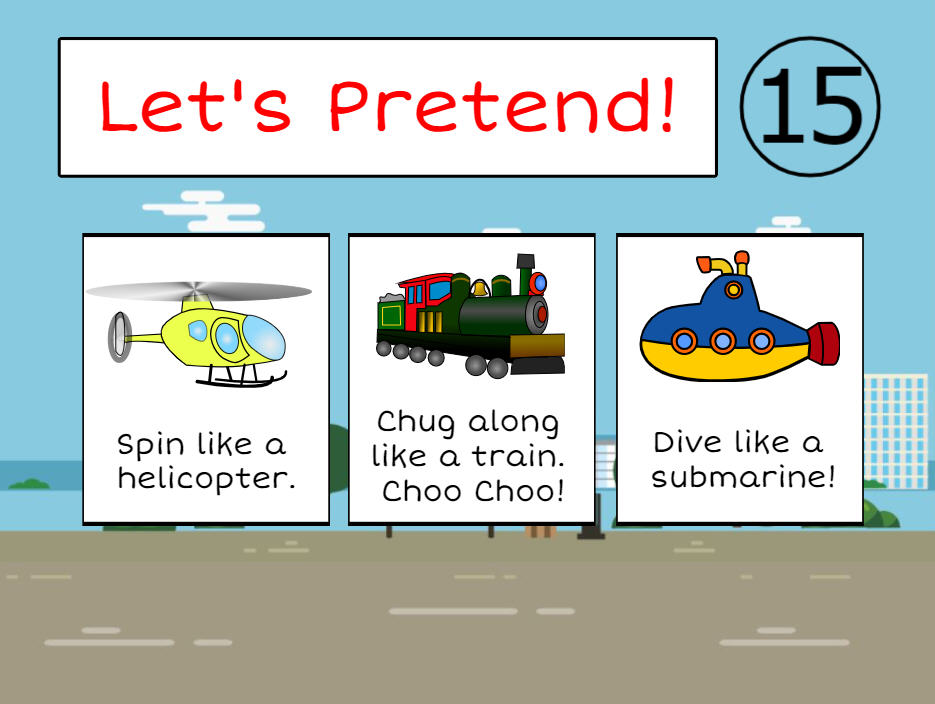
When it came time to choose the specific activities included, we made sure they didn’t all require typing. Drag and drop, video/audio recording, image responses, graphing, etc. all make an appearance. After all, these should be fun activities, and no student wants to spend all day typing, especially since typing can be a skill that many, especially younger students, struggle with. With that idea in mind, we also made sure to include fun brain breaks where students are up and moving at least once during the lesson package.
Taking Advantage of Existing Resources
Wixie’s vast template library provided inspiration on so many levels. In some cases, the template was imported into our master project as is. Others required some modification based on theme or chosen text. The curriculum folder was another treasure trove of engaging activities that was already created for us. In particular, when looking for math activities, having the content organized by standards domain made finding what we needed a breeze.
Speaking of texts, we utilized a variety of resources that our district has access to including embedded YouTube videos, Discovery Education, Scholastic Literacy Pro, and our online databases. We typically included a hyperlink to these resources on the page itself as well as in the instructions box, which we set to open as the students moved through the project. It was important that whatever was chosen was easy for students to access with our ClassLink single sign on. The ability to listen to the text was another driving factor when selecting our materials. As much as we’d like to think that students will have an adult or older sibling to help them during a virtual instruction day, we know that this is not reality. In fact, this idea that students could be on their own was a driving force in all the decisions we made while building the lessons.
While we wanted to make these lesson packages fun, easy, and engaging for students, we also needed to make sure that teachers would be able to effortlessly modify, assign, and review the work. This was another reason why we chose Wixie for this initiative. Assigning is easy within Wixie as well as through our LMS, Brightspace.
Supporting Our Teachers
To pair with each lesson, we created a document which outlined each page of the Wixie project in summary, along with the Common Core and ISTE standards it met. This document also pointed out parts of the lesson where teachers need to make instructional decisions on what is best for their students at that moment in time. This document also provides links to Wixie help documentation in case the teachers are unsure of how to use the program or how to assign the lesson.
Once the lessons were done and posted on our website, we needed to make sure the teachers knew of these resources. We utilized our office’s monthly newsletter, the schools’ eCoaches and Brightspace Champions, and the district-wide VID instructions to get the word out that they were available. We provided several virtual professional development sessions as well as in person sessions at schools, by principal request, on how to utilize these lessons.
In Conclusion
The response to the lesson packages has been overwhelmingly positive and teachers report feeling relieved that there is a back-up plan in case of emergency closings. For this year, we already have a list of lesson ideas for the next batch! In fact, we plan on expanding our library to include cultural arts. Wixie has proven to be so much more than just a project creation tool. It is truly an all-inclusive lesson delivery system.
Note: Kerri, Sam and the rest of the AACPS Office of Instructional Technology Team are sharing these amazing asynchronous lessons with you. If you are logged into Wixie, simply open the one you want to use, go to the File menu, and choose Make a Copy to add it to your Wixie account! Catch an excerpt of their webinar below.
 Effective Integration
 Instructional Design
 Learning Strategies
 Literacy
 Month-by-Month
 Product Ideas
 STEM/STEAM
 Share and Showcase
 Updates
 User Management