
Wixie update - Summer 2021
ixie’s development is driven by these requests.
This update includes hundreds of little changes focused on teachers using Wixie everyday with students. Improving the workflow, through new features and improvements in interoperability with other tools, is the driving theme in the update.
Here are just a few of the highlights.
Interface Refresh
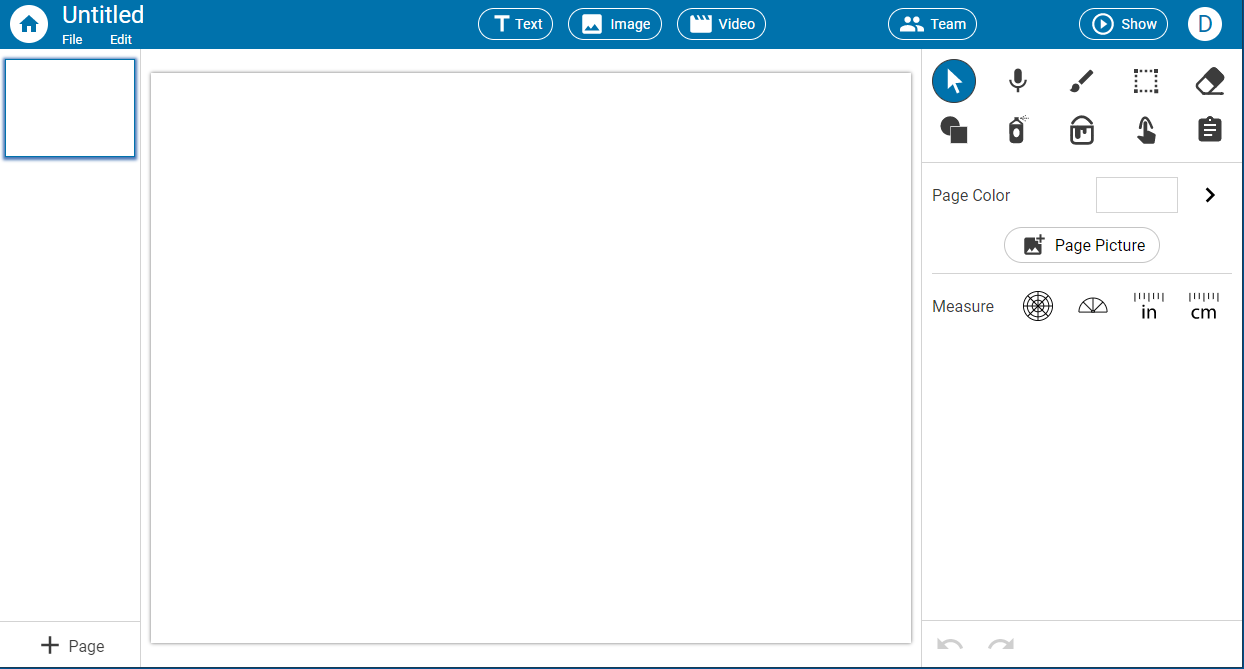
Both the standard and primary themes got a refresh to take better advantage of available screen space. For example, in the Standard theme, the storyboard is now visible all the time when the space allows.
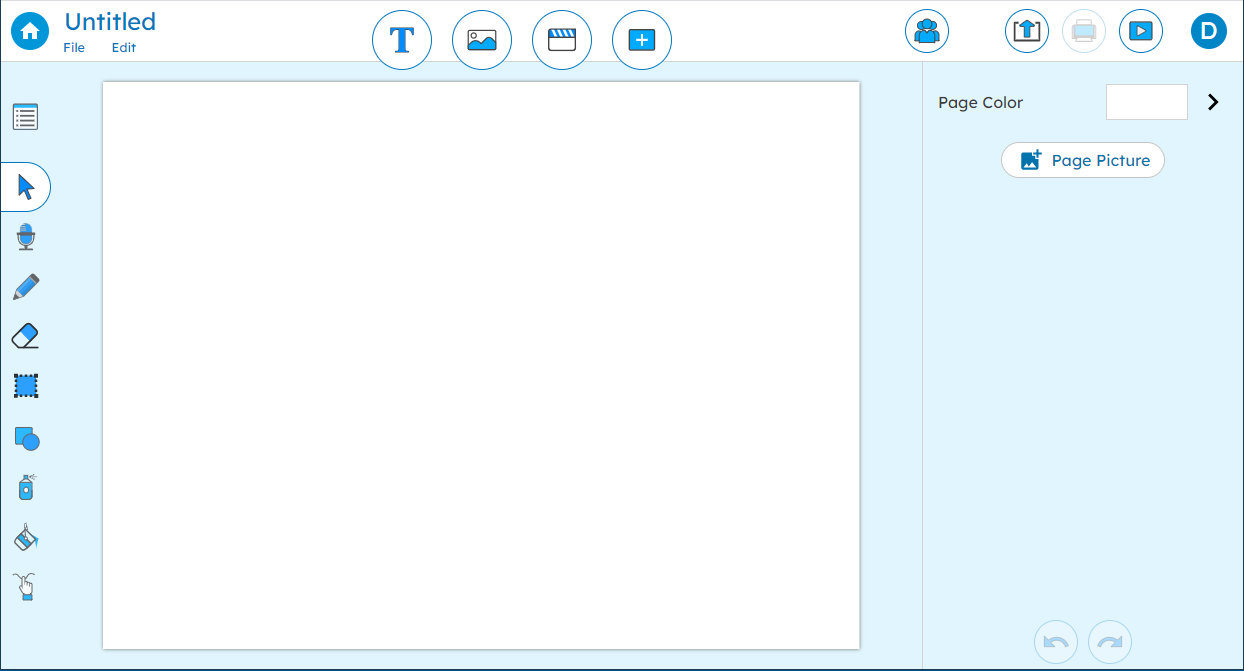
In the Primary theme, the tool palette has moved to the side of the screen and there is more emphasis on the insert buttons on the toolbar.
Improved integration with Google Classroom
Teachers can create assignments in their Google Classroom classes through the Wixie Assign dialog. Teachers get a list of their Google Classroom classes to choose where to make the assignment.

Students who start a Wixie project from a Google Classroom assignment created through Wixie will have a toolbar button to be able to submit their finished work back to the Google Classroom assignment.
Improved integration with Canvas
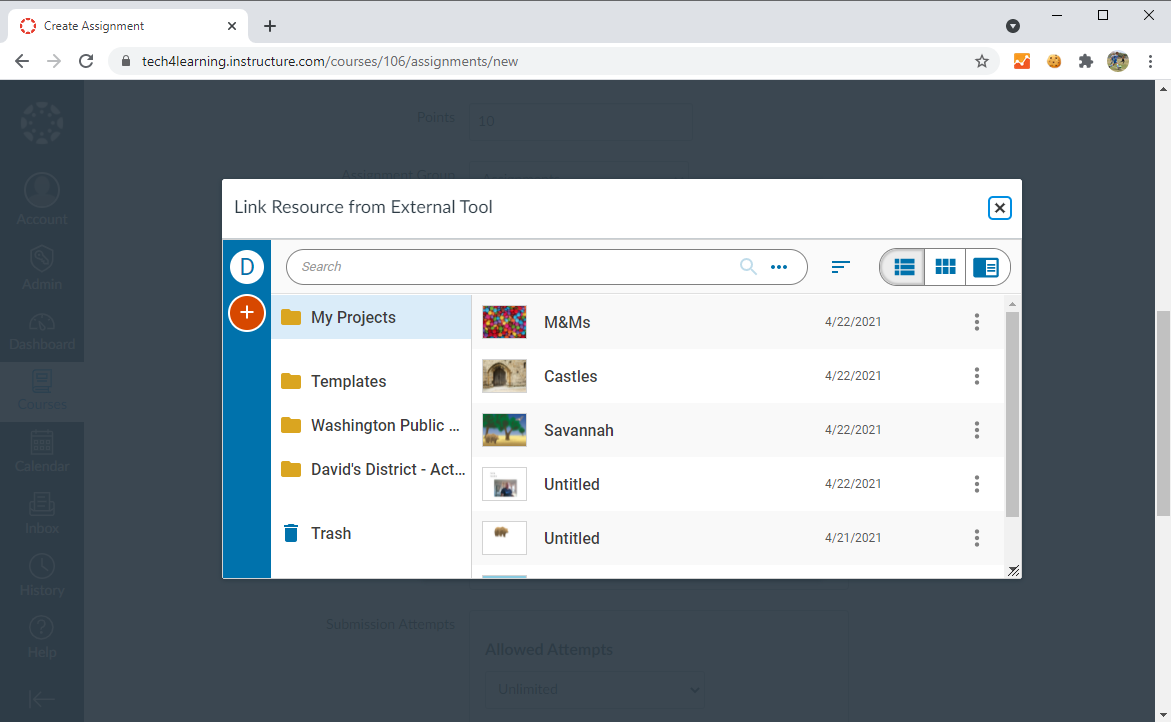
Teachers can browse their Wixie projects and templates within Canvas to select a project to use in a Canvas assignment. Teachers can even assign new, blank projects for students to work on.
Teachers can edit the assigned Wixie project without leaving Canvas right up until the time students start working on it.
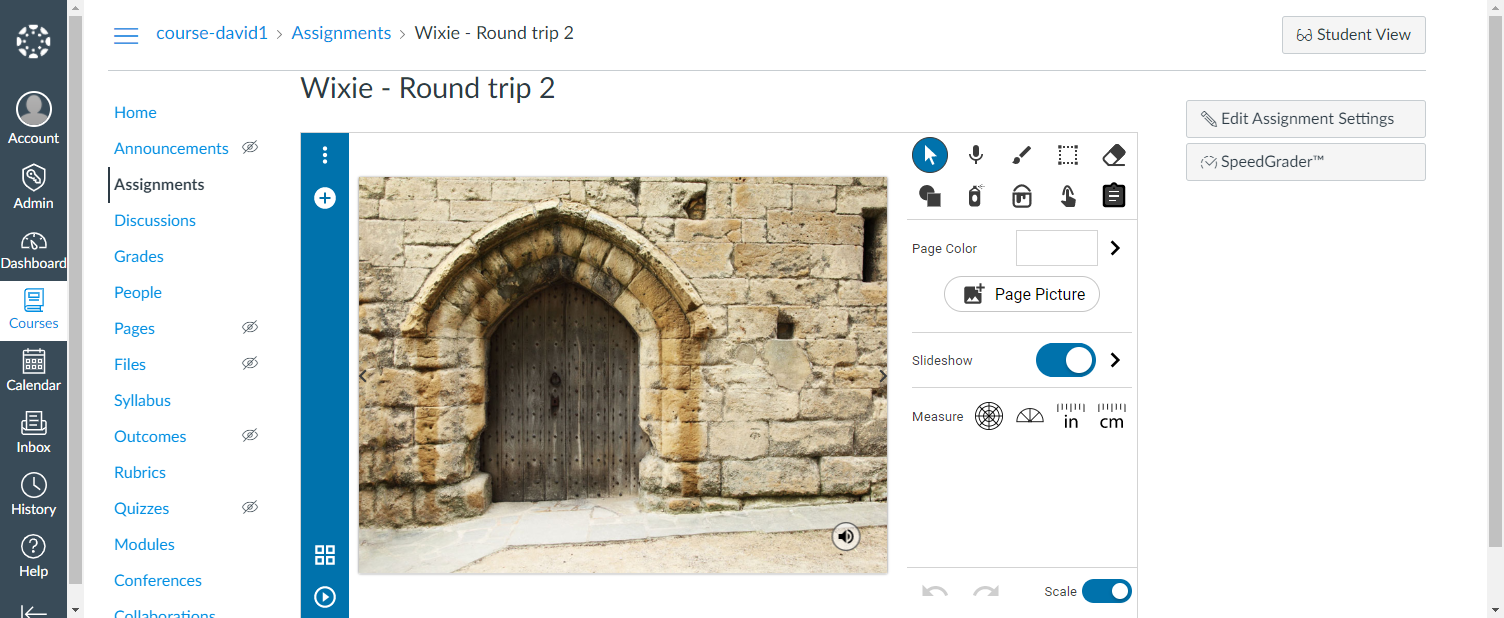
Students can work on the Wixie project without leaving Canvas. When they are finished, there is a Submit button on the toolbar that submits the finished project to the Canvas Assignment.
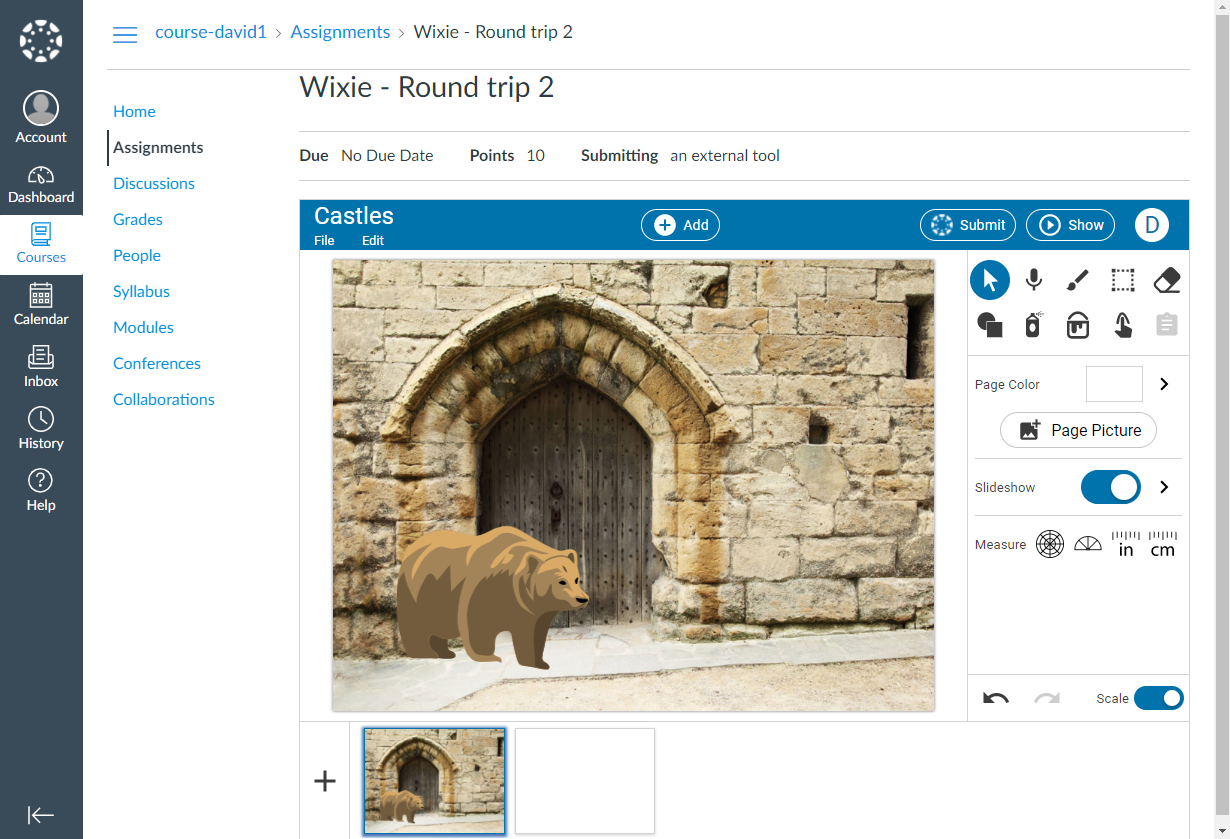
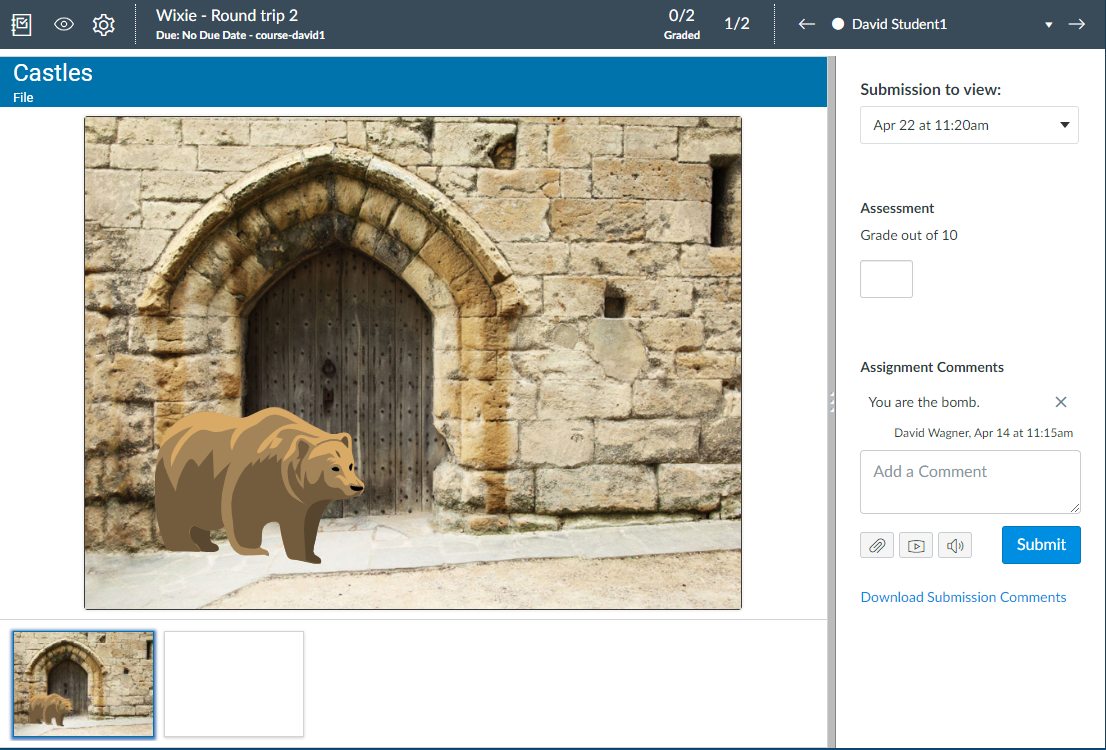
Teachers can assess submitted student work using SpeedGrader.
New project settings improve authoring activities
The project settings dialog for teachers has new options to help deliver content and templates to students.
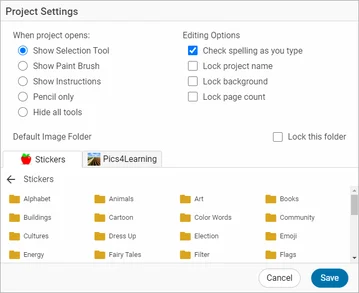
Options like hiding all of the tools, locking the background, locking the page count, and locking the image library category help teachers focus student attention on the task at hand.
 Effective Integration
 Instructional Design
 Learning Strategies
 Literacy
 Month-by-Month
 Product Ideas
 STEM/STEAM
 Share and Showcase
 Updates
 User Management